What is an employee portal? Features, benefits, and examples


Your employees need help. According to an OpinionWay survey, 1 in 5 employees don't have the information they need to do their jobs. Even worse, half of them feel their management isn't communicating enough within the company.
Several factors contribute to these challenges, including a need for more transparency and efficient communication channels. Luckily, you can tackle these issues head-on by adopting an employee portal.
With an employee portal, you can:
- Centralize key information so employees don't have to navigate through different folders and documents to find the tools and resources they need.
- Facilitate transparent communication between you and your in-house and remote teams.
- Cut down on manual HR processes that require paper forms, emails, and manual data entry.
- Improve time management and eliminate unnecessary errors.
- Reduce IT costs while keeping employees engaged.
If you want to make it easier for your employees to self-serve the information they need, read on to find out the key features of an employee portal or team intranet, and how you can build an employee portal yourself.
What is an employee portal?
An employee portal, also called an HR portal or ESS portal, is a centralized intranet platform that connects an organization's employees and management. It gives employees a single place to access important documents, communicate with colleagues, and keep up with company policies and updates.
Employee portals can also centralize HR processes and workflows, such as managing benefits, payroll, time-off requests, and company announcements. By giving employees self-service access to important work information 24/7, they can reduce dependency on HR teams and manual processes.
Employee portals are typically secured with login credentials so only authorized users can access them, helping protect sensitive company and employee data.
14 key features of an employee portal
When purchasing or building an employee portal for your company, you'll find features falling into three main categories: self-service administration, communication and collaboration, and knowledge management.
Each category plays a crucial role in streamlining workforce operations, communications, and engagement. Read on for a breakdown of the key features you should consider when implementing an employee portal.
Self-service and administrative functions
1. Profile management
Ensure employees can easily view and update their personal information (e.g., contact details, emergency contacts, and banking information).
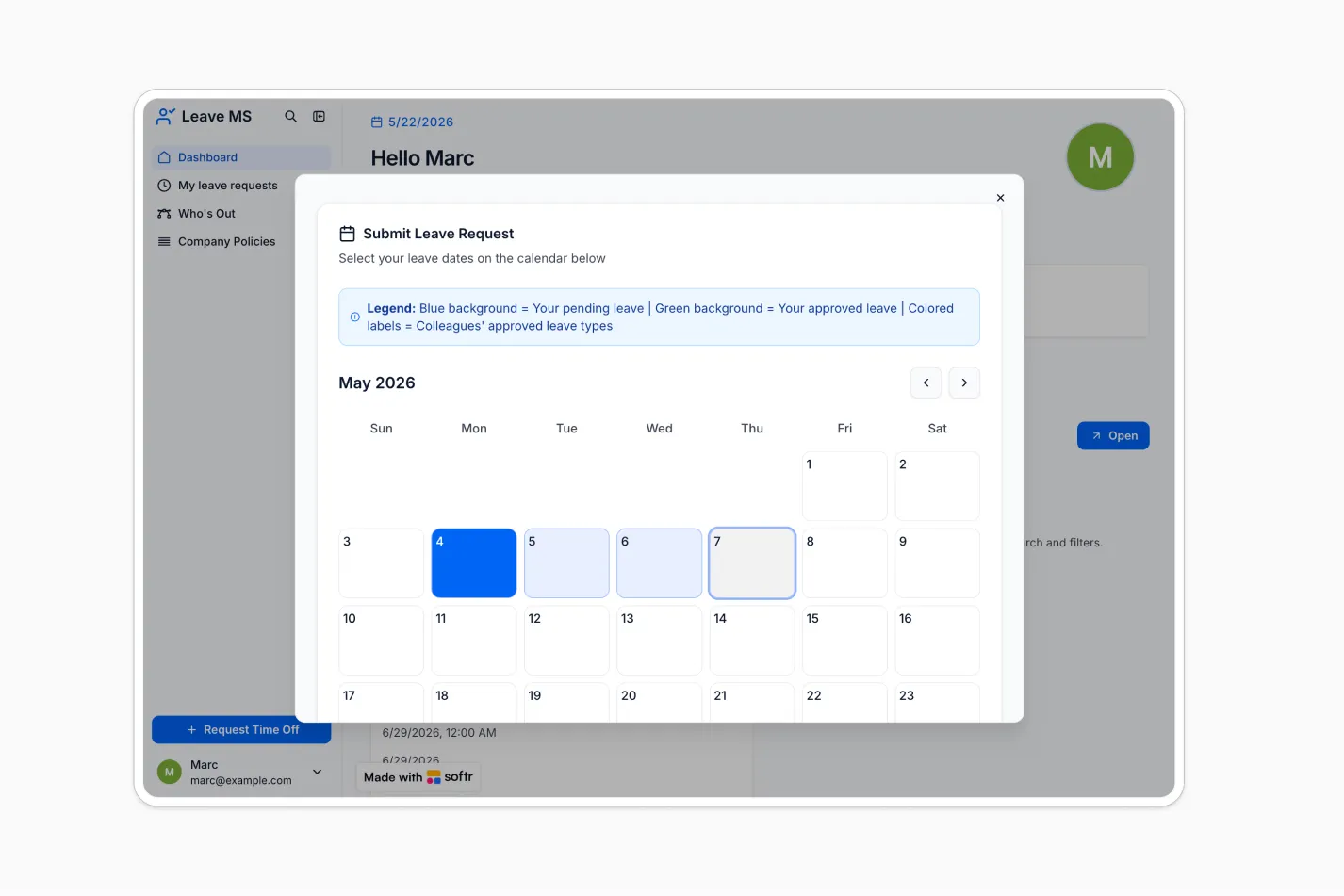
2. PTO and attendance management
Allow employees to request time off, track their remaining leave balances, and see the status of their requests, ensuring smooth management of vacations and sick leaves.

3. Shift management
Implement a system for planning and sharing work schedules so all team members are informed, avoiding scheduling errors.
4. Payroll and compensation
Provide access to pay stubs, tax forms, and salary history to empower employees to manage their financial and tax documents.
5. Document repository
Centralize important documents like employee handbooks, company policies, training materials, and compliance documents. Ensure employees can access, sign, and download them as needed.
Communication and collaboration tools
6. Announcements and news feeds
Create a centralized space for company-wide announcements, news, and policy changes so that everyone is informed about important events and updates.
7. Discussion forums and boards
Use discussion forums, boards, blogs, and social intranets to encourage idea sharing, feedback, and collaboration among employees.
8. Chat and messaging
Implement integrated chat functions for real-time communication among employees and between employees and management. This will facilitate quick problem-solving and teamwork at your company.
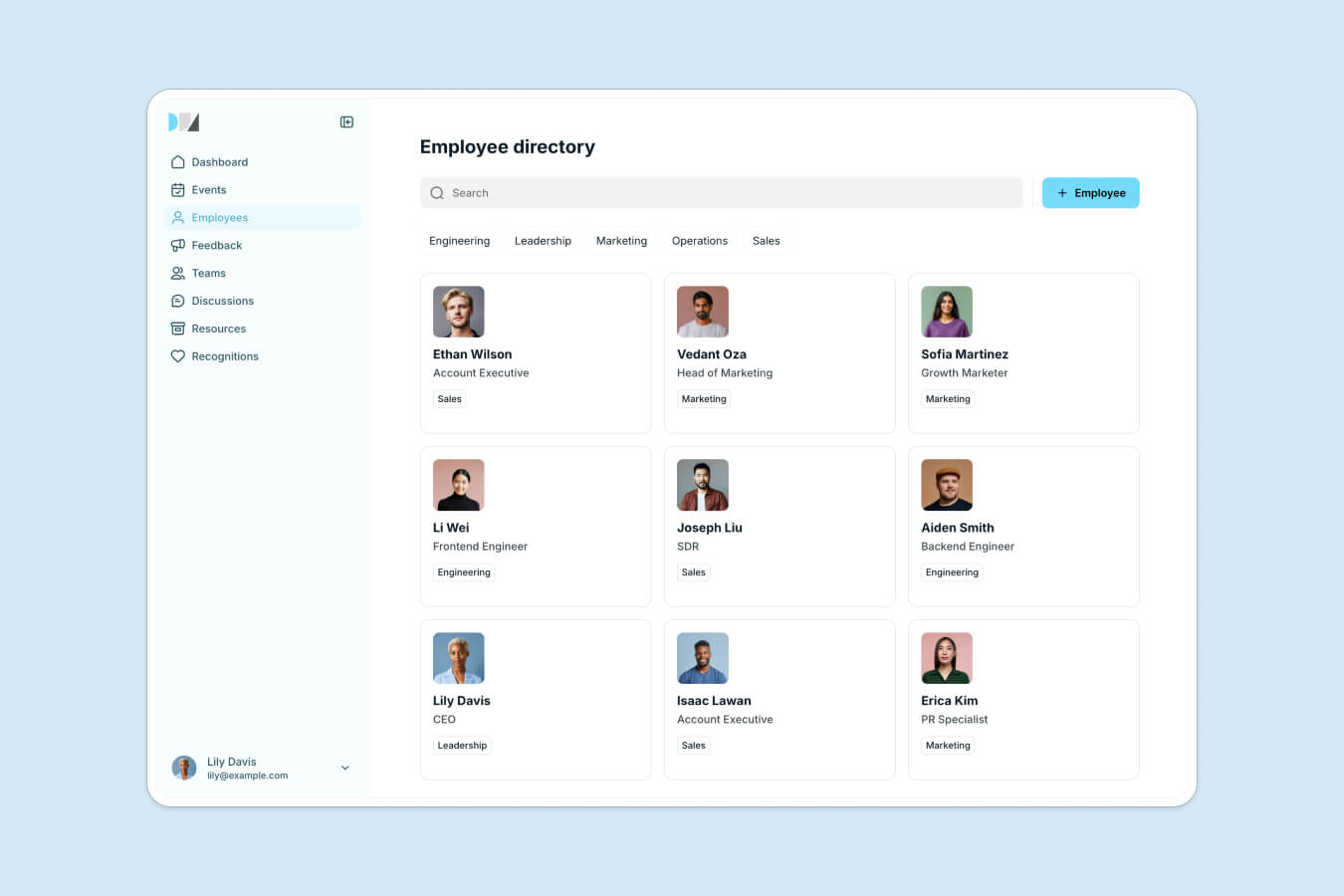
9. Employee directory
Provide a searchable employee directory that includes contact information and job roles, to facilitate communication and collaboration.
10. Feedback and surveys
Collect valuable insights from employees using surveys and polls. Encourage anonymous feedback so your employees feel their opinions matter.
Knowledge management and training
11. Training and development
Offer access to online courses, webinars, and training materials to support employee growth and development.
12. Onboarding features
Simplify the onboarding process for new hires with online resources and automated procedures (think: online registration, e-contracts) for a smoother transition and faster integration into the company culture.
13. Knowledge base
Create a knowledge base, a searchable database of FAQs and troubleshooting guides to provide quick solutions to common queries and support employee self-service.
14. Help desk
Integrate an IT ticketing system, ensuring timely assistance for employees facing technical issues.
Key benefits of an employee portal
An employee portal can offer several significant benefits to you and your staff.
Empowerment through self-service
When employees can update their personal information, request time off, or access payslips on their own, it creates a sense of control and responsibility. They feel valued and trusted, leading to increased job satisfaction and morale.
Employee portals empower individuals to manage their affairs independently, without constant HR intervention.
Centralized knowledge hub
Employee portals act as a central repository for all important company information, including onboarding materials, compliance documents, and company policies.
With everything accessible in one place, employees can easily find the information they need without searching through multiple channels or waiting for HR responses. This convenience saves time and frustration, allowing them to focus more on their core responsibilities.
Take DS Automotive, for example. After creating an employee portal with Softr, vehicle technicians could easily access vehicle data, job cards, and history, enabling them to work more efficiently and accurately. The office staff also benefitted from streamlined access to customer, vehicle, and booking data, which improved administrative tasks and enhanced customer service.
"The ability to pull data from different Airtable bases into different blocks and display them on one page was one of the main reasons I chose Softr. It's also more user-friendly than other no-code tools." — Dan Smith, Director at DS Automotive
Build your employee portal the easy way with Softr
Out-of-the-box software might be what you need, but it's often costly and lacks customization. Building a robust employee portal from scratch centralizes company data and streamlines internal communications and processes, but it typically requires development and engineering resources.
Softr changes that. Softr is the first AI-native platform for building business software without code, so you can launch a custom collaboration hub that fits your company's unique requirements, with no engineering team required.
There are three ways to start, and you can move between them at any time. Describe what you need and the AI Co-Builder generates the database, the pages, and the permissions for you. Or start from one of our templates, like the company intranet or team wiki. Or build from a blank canvas if you prefer full visual control. This is the hybrid advantage: AI speed when you want it, visual precision when you need it.
Because Softr is built for production, your portal is secure from day one. Authentication, granular permissions, and hosting are built in, so you are not left maintaining fragile generated code the way you would be with pure vibe-coding tools.
Here's what you can expect when you build an employee portal with Softr:
- An AI-native portal builder: Generate a complete portal from a plain-language prompt, then refine it with modern blocks and customizable templates so employees can easily find information and submit requests.
- Native data and 21+ integrations: Store your data in Softr Databases, the native source built for your apps, or connect to one of 21+ external sources like Airtable, Google Sheets, and Notion, all synced in real time.
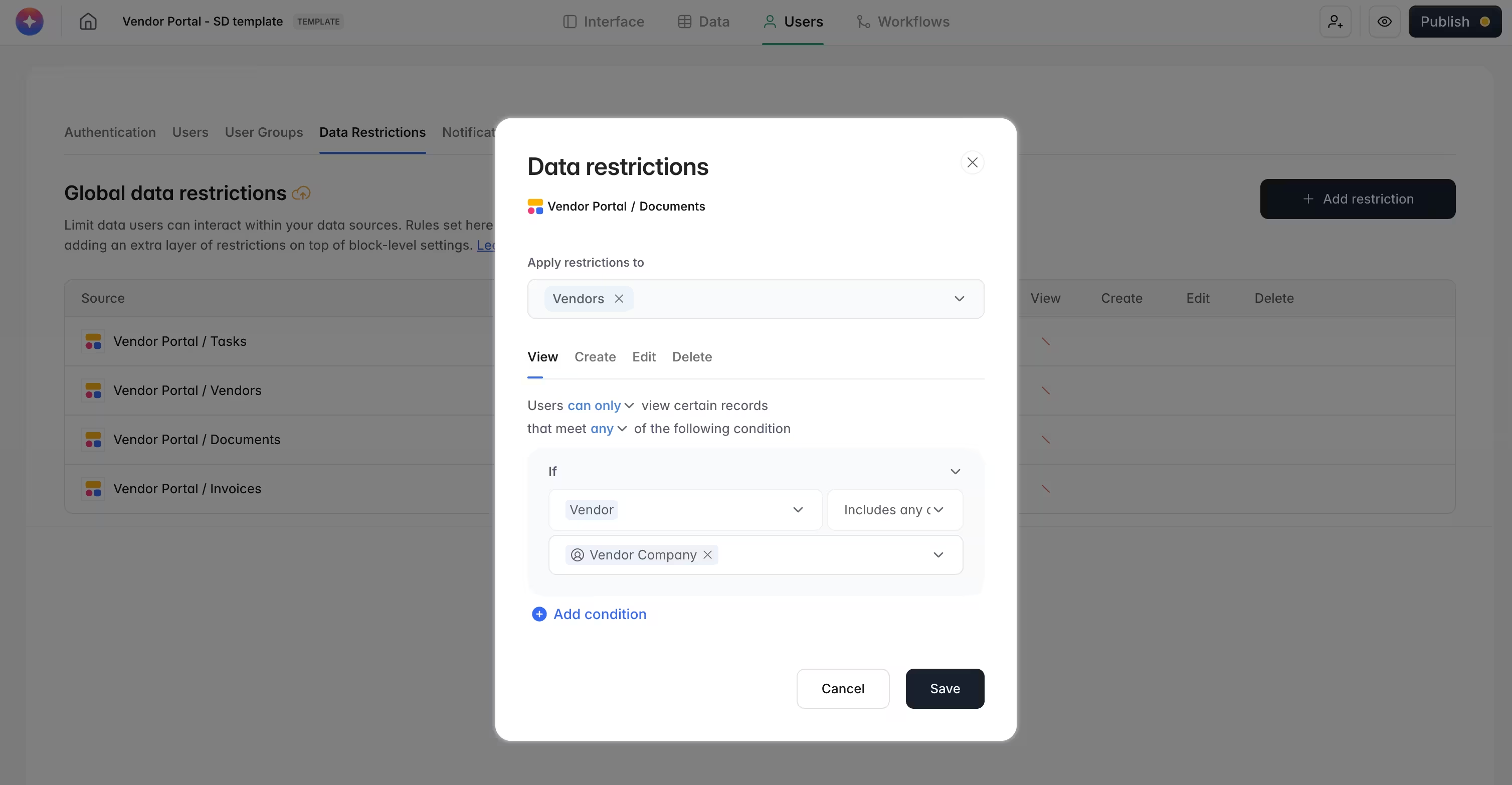
- Advanced user permissions: Tailor permissions for different employee groups without sharing your entire database. Control what each type of user can see when they log in, and which actions they can take.
- Native automation: Use Softr Workflows to automate processes like onboarding sequences, approval requests, and notifications, triggered directly from buttons in your app.
Teams of every size run on Softr portals. Consulting firm DCW Cost Management built an employee portal across three offices that lets staff submit a receipt for reimbursement as easily as they check which projects are on their plate. At the other end of the scale, Celonis built an internal GTM knowledge base on Softr that reached 1,500+ team members and became one of their top three core tools within months.
How to build an employee portal with Softr

Here is the path from idea to live portal:
- Structure your data. Decide what your portal needs to track, like employees, documents, PTO requests, and announcements. Store it in Softr Databases, or connect Airtable, Google Sheets, or Notion.
- Generate the app. Describe your portal to the AI Co-Builder and it scaffolds the database, pages, and user groups for you. Prefer a head start? Begin from the company intranet or team wiki template instead.
- Set user groups and data restrictions. Create groups like employees, managers, and admins, then apply data restrictions so each person only sees the records relevant to them.
- Build your key pages. Add the directory, document repository, announcements feed, and request forms using native blocks. Ask the AI Co-Builder to add or adjust blocks for you as you go.
- Automate with Workflows. Set up Softr Workflows for onboarding steps, approval routing, and notifications, triggered directly from buttons in the app.
- Publish and invite. Launch your portal with one click and invite your team by email or magic link.
Use one of our free templates to get started in minutes. We recommend the employee directory, team wiki, or company intranet. Or try the AI Co-Builder free to generate a custom portal in minutes.
Frequently asked questions
What is an employee portal used for?
What are the benefits of an employee portal?
What is employee portal software?