8 Webflow alternatives hand-picked to help you find the perfect match


Webflow is a strong choice for visually polished marketing sites, but it has a steep learning curve, and it isn't designed for beginners. If you need more than a marketing site—a client portal, an internal tool, or a CRM with logins and permissions—Webflow gets complicated fast, and you'd be wiring together third-party tools just to handle membership, payments, and access control. Here are 8 Webflow alternatives for 2026.
8 best Webflow alternatives at a glance
| Tool | Best for | Standout strength | Starting price |
|---|---|---|---|
| Softr | Portals, internal tools, CRMs, and logged-in user apps | Front-end app builder that connects to your existing data sources | Free, paid from $19/mo (billed annually) |
| WordPress.org | Open-source flexibility | Huge plugin and theme ecosystem | Free (plus hosting) |
| Squarespace | Portfolios and design-led sites | Best-in-class templates | $16/mo |
| Wix | Beginners | Intuitive drag-and-drop editor | Free, paid from $17/mo |
| GoDaddy | Domains and quick online presence | Domains, hosting, and email in one account | $9.99/mo |
| Square E-Commerce | Value-focused small stores | Built-in Square payments | Free, paid from $5/mo |
| Shopify | Dedicated ecommerce | Advanced inventory and sales tools | $29/mo |
| Zyro | Fast, low-cost sites | Cheapest plans with AI tools | $11.99/mo |
What is a website builder?
If you wanted to build a website in a world without no-code website builders, you’d have to hire a team of developers, designers, and marketing experts, and go through months of back and forth to finally nail a final version of your website. This process is, more often than not, really costly.
If you’re short on resources, need a quick solution or simply don’t have access to a dev team, you can use a website builder. Website builder software exists to make your job easier. It costs less than building web applications from scratch, and it's usually quicker and often beginner-friendly.
Instead of hiring a developer to make your website, the platform’s interface makes it easier for you to assemble one. A lot of them are no-code or low-code, so you can build a website without prior coding experience or with minimal coding.
Which is the best website builder on the market?
The perfect website and web app builder depends on various factors like the use case, your tech background, and budget. A platform that’s perfect for a freelancer to build their portfolio on may not be the best one for a large enterprise creating an internal platform. That’s why before choosing a platform, you’ll need to get crystal clear on your budget, use case, needs, and expectations.
8 Webflow alternatives to look out for in 2026
We've selected 8 no-code and low-code builders that let you create websites and business apps with varying levels of flexibility, design, and functionality, including:
- Softr - best Webflow alternative for portals, internal tools, and logged-in user apps
- WordPress.org - best open-source website builder
- Squarespace - best for portfolios
- Wix - best for beginners
- GoDaddy - best for bulk domains
- Square E-Commerce (formerly Weebly) - best value for money
- Shopify - best for e-commerce
- Zyro - best for affiliate marketing
Here's how they compare at a glance before we dig into each one.
Let's look at their individual features, drawbacks, pricing, and ratings.
Softr: best Webflow alternative for logged-in user experiences and portals
While Webflow allows you to build user accounts and basic logged-in experiences, it remains a design-first website builder at its core. If you need to build something that functions more like a dynamic application than a static website (for example, a client portal, a member directory, or an internal dashboard), Softr is the best fit. Softr connects natively to your existing data sources (including Airtable, Google Sheets, HubSpot, and SQL databases) and packages authentication, user groups, and workflows into a secure application builder.
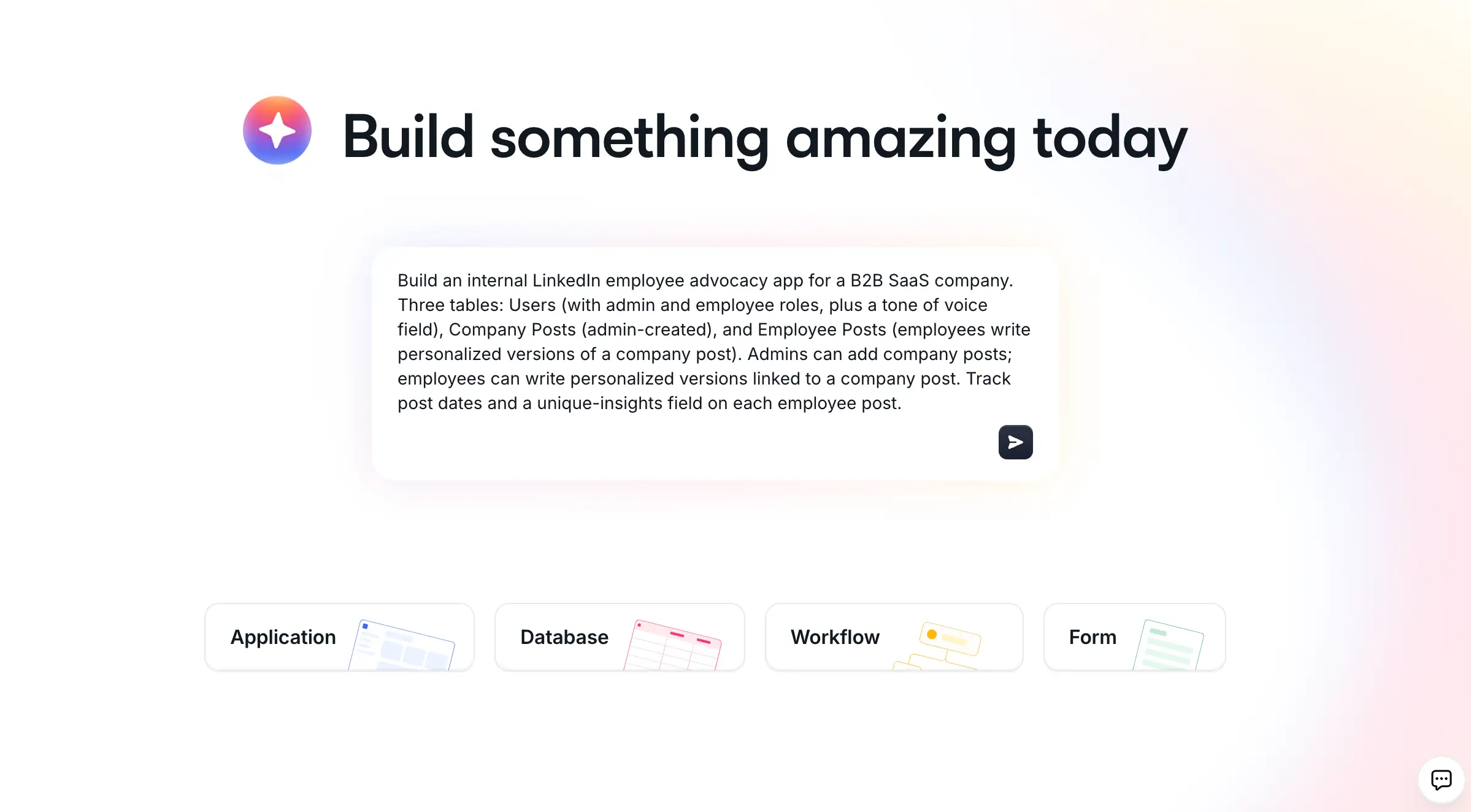
The fastest way to start is the AI Co-Builder: describe what you need in plain language and it generates a complete app, with pages, data, and design wired together. You can also start from a template or a blank canvas if you prefer. Because the AI composes battle-tested no-code blocks rather than generating raw code, you get the speed of AI with the reliability of no-code.
"Where we really see Softr is at that intersection between no-code and AI, taking the speed and freedom that comes with vibe coding and combining it with the security, reliability, and infrastructure of no-code." - Shiran Brodie, Head of Marketing at Softr
This makes Softr a strong fit for client portals, internal tools, and CRMs. While Webflow allows you to build basic user accounts, managing complex visibility rules or mapping data per client can get complicated fast. Softr handles dynamic logged-in user experiences natively, providing secure logins, users and permissions, and a Stripe integration out of the box.
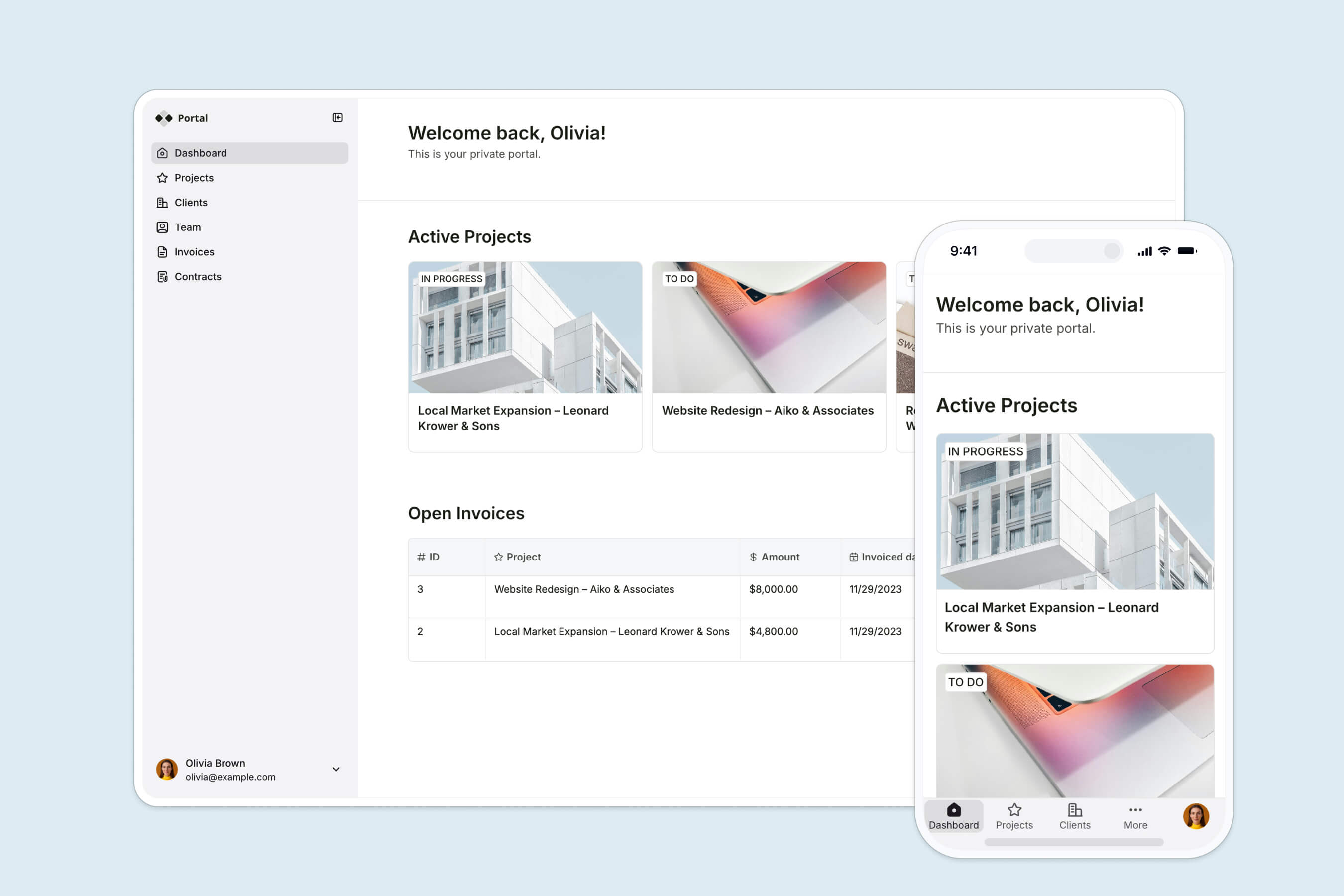
On the data side, you don't have to manage raw imports and exports. Softr connects to Airtable, Google Sheets, HubSpot, and 21+ other data sources, including a REST API connector. Your database, your front-end, and your permissions all live in one platform, so there's no black box of generated code to audit.
Main features:
- AI Co-Builder that turns a plain-language prompt into a working app
- Native Softr Databases plus 21+ data sources (Airtable, Google Sheets, HubSpot, REST API)
- Granular users and permissions with built-in logins, magic links, and Google sign-in
- Native workflows triggered by in-app actions like button clicks
- Built-in membership and a native Stripe integration
- Ready-made, customizable templates and a Vibe Coding block for fully custom UI
Pros:
- Build dynamic, data-driven applications with secure logged-in roles without needing third-party membership plugins.
- Secure logins and permissions live in a visible panel, not buried in generated code, so access rules are easy to verify.
- The AI Co-Builder generates and edits apps from plain language, which saves hours on layout and setup.
- Native databases and workflows mean your data and automations sit inside the same product as your UI.
- Shallow learning curve and responsive support, so non-technical operators can ship without a developer.
Honest cons:
- It is not the right choice for purely design-led marketing sites where pixel-perfect visual control is the main goal (Webflow or Squarespace fit that better).
- It is built for business apps and internal tools, not for SaaS products, public marketplaces, or developer-first documentation.
Pricing:
- Free
- Basic - $19/month (billed annually)
- Pro - $99/month (billed annually)
- Business - $329/month (billed annually)
Critic's verdict:
Capterra: 4.7/5 (50+ reviews)
G2: 4.8/5 (240+ reviews)
For a more detailed comparison of the platforms, check out our Softr vs. Webflow overview. If a portal or internal tool is what you're really after, our guides on building a business app with AI and setting up user groups and permissions are good next reads.
WordPress.org - best open-source website builder

WordPress’s best feature is its very active community that is constantly working on releasing new plugins and themes and helping troubleshoot problems. Additionally, it’s extremely cost-effective and has a relatively straightforward interface.
For those with a developer background, the open-source quality of WordPress allows you to see the source-code and edit it according to your needs instead of being limited to the functionality provided, which is usually the case with other website builders.
Main features:
- Active and helpful community
- SEO friendly
- Expansive theme and plugin marketplaces
- Rollback versioning
- Built-in social sharing
- Automatic software updates
Drawbacks:
WordPress has a bunch of hidden costs, for things like themes and plugins, and accounting for them beforehand can be a problem. And if you’re looking to add more advanced functionality, WordPress can get too complicated to use and you might have to hire a developer to complete the task for you.
Additionally, the massive library of plugins and themes poses a security concern. In 2021, there was a 150% increase in WordPress vulnerabilities compared to 2020, and 29% of these vulnerable plugins were never patched. Two of these critical vulnerabilities were reported in plugins that were installed by over 1 million users.
The same study also found that in 2021, 99.42% of vulnerabilities came from plugins and themes, and 91% of vulnerable plugins and themes were free.
In short, this means that if you’re using WordPress due to its affordability, remember that you’re highly likely to have more costs associated with applying firewalls and protecting your customers further down the line.
Pricing:
WordPress.org is free. But, domain name, hosting, themes, and plugins can cost money. They can also push the costs higher than any other tool on the list, it all depends on how you use it.
Critic's verdict:
G2 - 4.4/5 (8300+ reviews)
Capterra - 4.6/5 (13900+ reviews)
Squarespace - best for portfolios
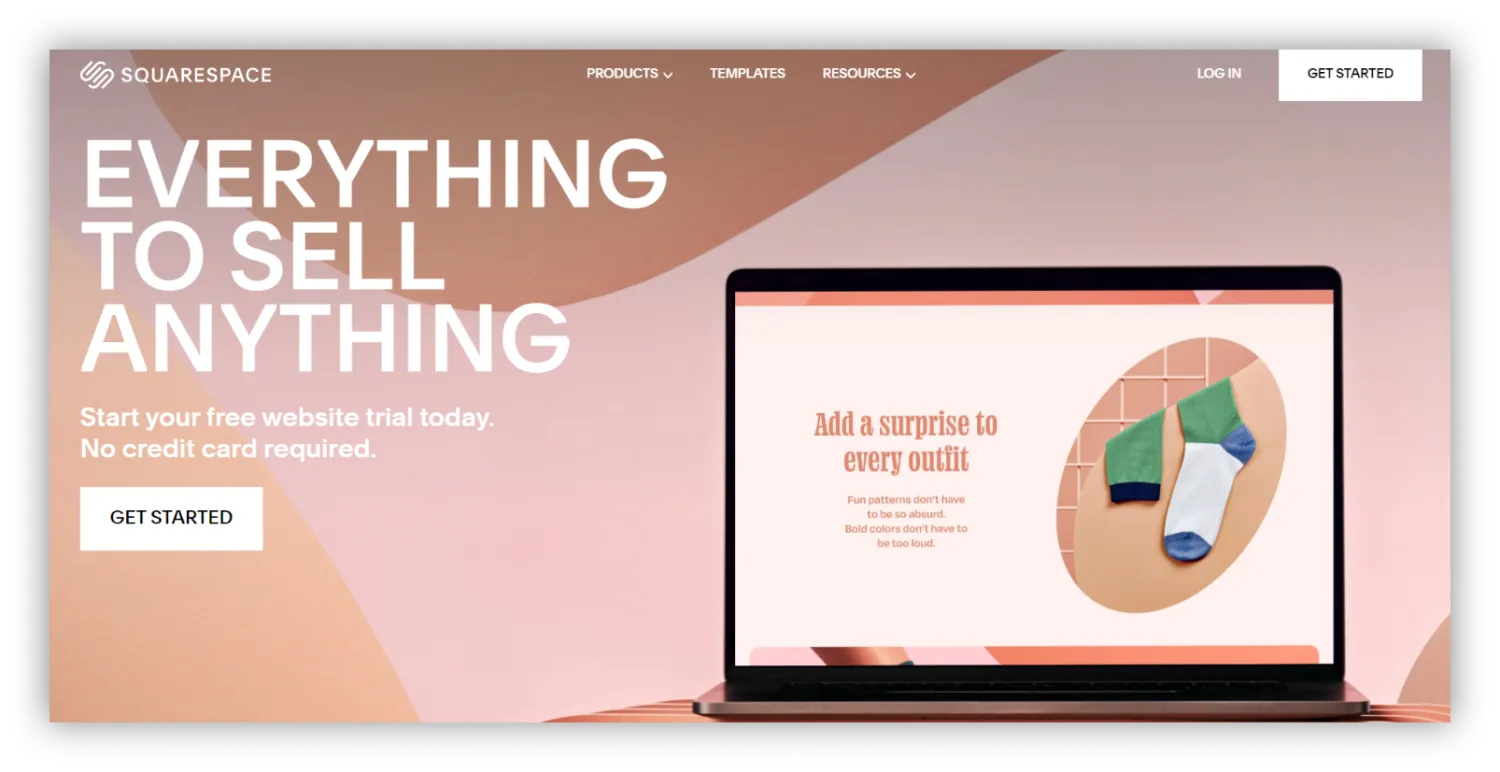
Squarespace boasts the best design tools and capabilities among the other platforms on this list. It’s affordable for solo creators and entrepreneurs, and also offers unlimited storage space. Its SEO tools also help with discoverability.
Main features:
- Secure socket layer (SSL) certificate
- Award-winning customer support
- 110+ mobile-responsive templates
- Reporting and analytics
- Social media integrations
- What You See Is What You Get (WYSIWYG) editor
- SEO optimization
Drawbacks:
Squarespace offers the best-designed templates but in terms of functionality, there could be improvements. The ready-made templates offer a lot of room for design customizations but adding new pages, setting up a blog or making minor tweaks to the back-end can take a lot of effort. It also requires you to manually save your work, doesn’t offer a free plan, and isn’t particularly scalable.
Pricing:
- Personal - $16/per month.
- Business - $23/per month.
- Basic Commerce - $27/per month.
- Advanced Commerce- $49/per month.
Critic's verdict:
G2 - 4.4/5 (980+ reviews)
Capterra - 4.6/5 (2400+ reviews)
Wix - best for beginners

Wix is an excellent Webflow alternative for beginners because of how intuitive the platform is and how easy it is to get started. Wix offers 800+ customizable templates, great business features (SEO, app market tools), and a shallow learning curve.
Main features:
- Velo (Wix’s visual builder)
- Password-protected pages
- WYSIWYG editor
- 800+ templates
- 600+ apps and extensions
- Free hosting for all plans
- SEO tools - (bulk 301 redirects, custom meta tags, etc)
- Logo maker
Drawbacks:
If you’re looking to build and capitalize on a website for the long-term, you’ll likely run into trouble with Wix’s SEO capabilities. While the tool offers access to an SEO Wizard, its techniques are elementary and rather behind the times. Without proper SEO functions, your website might have trouble getting indexed by or ranking highly on Google, which means less discoverability for your business.
Additionally, Wix doesn’t allow users to connect analytics and tracking tools like Google Analytics on their free plan. In order to see how well your website is performing, you’d need to upgrade your plan.
Pricing:
- Free - $0
- Combo - $16/per month.
- Unlimited - $22/per month.
- Pro plan- $27/per month.
- VIP plan - $45/per month.
Critic's verdict:
G2 - 4.2/5 (1400+ reviews)
Capterra - 4.4/5 (8700+ reviews)
GoDaddy - best for managing domains in bulk

GoDaddy specializes in offering users everything they need to create their online presence. This includes a drag-and-drop website builder, hosting plans, domains, a professional email, and SEO tools. And if you’re managing a large number of domain names, this is a great tool as it keeps everything organized and on the same platform.
If torn between Squarespace and GoDaddy, compare features, customization, pricing, and user reviews in detail before deciding. For a deeper comparison, head over here.
Main features:
- Artificial Design Interface (ADI) editor
- Analytics and reporting
- SSL security
- Auto-save and backup
- Industry-specific templates
- 8000+ stock photos
Drawbacks:
GoDaddy is designed to cater to basic needs with their done-for-you templates. But since it uses ADI, it offers limited scope for design customization and flexibility. The block features are restrictive and the websites aren’t always appealing.
Also, once you upgrade to a paid plan, you can’t go back to the free one. It also has a bunch of hidden costs tucked away in the fine print, like the ability to connect to a custom domain (it lets you connect to one but doesn't offer you a free one) and the Microsoft 365 business email address that is only free for a year.
Pricing:
- Basic - $9.99/per month.
- Premium - $14.99/per month.
- Commerce - $16.99/per month.
- Commerce Plus - $29.99/per month.
Critic’s verdict:
G2 - 3.9/5 (110+ reviews)
Capterra - 4.1/5 (1000+ reviews)
Square E-Commerce (formerly Weebly) - best value for money

While Square is not as affordable as other ecommerce builders like Zyro and IONOS, it’s a more comprehensive tool. It offers all the basic ecommerce platform features (like site analytics, content management, etc) and is pretty beginner-friendly. It may not be the star of the show, but it sure is a cheap alternative.
Main features:
- SSL security and password-protected pages
- Unlimited storage (for premium plans)
- Drag and drop builder
- Advanced animation effects
- Custom fonts
- Custom HTML/CSS and JavaScript
- Video background
Drawbacks:
One of the main drawbacks of Square as an ecommerce platform builder is that it doesn’t offer a wide range of payment processing options. Your only choices as a user are Square, or PayPal if you have a Performance or Premium plan.
Finally, it also doesn’t offer a lot of advanced marketing tools, has limited plugin options, and comparatively fewer design options.
Pricing:
- Free - $0
- Connect - $5/per month.
- Pro - $12/per month.
- Business - $25/per month.
Critic's verdict:
G2 - 4.2/5 (430+ reviews)
Capterra - 4.3/5 (1680+ reviews)
Shopify - best for e-commerce

Shopify has multiple advanced inventory management, accounting, and analytics & reporting features designed to enhance sales. This makes it the perfect Webflow alternative for creating an e-commerce platform. Many users migrate their store from other platforms such as Magento to Shopify because of its ease of use.
Main features:
- 6000+ apps in the app store
- Multi-channel integrations
- Themes
- Stock images library
- Abandoned cart saving feature
Drawbacks:
One of the main drawbacks on Shopify is that sometimes, it feels like you have to pay for every little thing. For example, integrating with third-party payment gateways, apps, and plugins for added functionality requires recurring monthly payments. Additionally, some of these plugins are developed by independent developers and come with varying degrees of quality and customer support.
Also, Shopify is designed to cater to users that want to build and run an ecommerce platform, so if that’s not what you’re after, you’re better off with another tool.
Pricing:
- Basic Shopify - $29/per month.
- Shopify - $79/per month.
- Advanced Shopify - $299/per month.
- Shopify Plus - starting at $2000/per month.
Critic's verdict:
G2 - 4.3/5 (4000+ reviews)
Capterra - 4.5/5 (5500+ reviews)
Zyro - best for affiliate marketing

Zyro offers an in-app logo and slogan maker, and integrates with Unsplash to provide a wide selection of free stock images. This makes the tool extremely useful for people who need to roll out a professional-looking website quickly. It also has multiple AI-powered tools (like the heatmap and content generator) and over 100 templates with a robust drag-and-drop editor.
And finally, if you’re using Zyro to build an ecommerce platform, you’ll be happy to know that this tool doesn’t charge transaction fees or sales commissions, as well as offering one of the cheapest pricing plans.
Main features:
- Free domain for a year (after which it auto-renews at standard rate)
- Free web hosting
- SEO optimization
- SSL security
- Custom favicon
- Unique AI tools (like AI heatmap)
Drawbacks:
While Zyro is cheap, it doesn’t offer a free trial and plan. It has limited image editing options and doesn’t let you switch templates without losing all your content. The AI content generator offers basic capabilities and produces generic content.
Pricing:
Zyro has frequent sales and discounts so the prices may vary. At the time of writing this article, the website plan is $2.69/per month. The business plan is$3.59/per month. and the advanced store plan is$14.39/per month. If you factor in the frequent discounts, it’s the cheapest web builder on this list.
Standard rates:
- Website - $11.99/per month
- Business - $14.99/per month.
- Advanced store - $39.99/per month.
Critic's verdict:
G2 - 4.6/5 (30+ reviews)
Capterra - 4.7/5 (300+ reviews)
How to pick your Webflow alternative
There's no single tool that wins for everyone, so start from your use case. If you want the best-looking marketing site, Squarespace is hard to beat. If budget is the priority, Zyro, Square E-Commerce, or WordPress will get you online cheaply. For a dedicated online store, Shopify is the safe bet, and if you need maximum visual control on a marketing site, Webflow itself is still strong.
If what you actually need is an app your business runs on, a client portal, an internal tool, or a CRM, with logins, permissions, and live data, that's where Softr fits. You can build those tools and your website in one place, and the AI Co-Builder gets you to a working version in minutes. Start building for free and see how far one prompt gets you.
Frequently asked questions
What is the best Webflow alternative?
Is there a free alternative to Webflow?
Why is Webflow hard to use for beginners?
Can a Webflow alternative build a client portal or internal tool?
How much does Webflow cost compared to alternatives?