How to build an app for free without coding in 2026


You don't need a big budget or coding skills to create a business app. With Softr, you can describe your app to the AI Co-Builder and get a working database, pages, and user permissions in minutes. Or build it yourself in a visual, drag-and-drop editor. Either way, you never write a line of code. You can also build it from Claude or ChatGPT through the Softr MCP, on the Free plan too. You also skip the cost of traditional app development, which typically ranges from $5,000 to $133,000 and can take months.
This guide walks you through each step, from defining your users to publishing the app. Then we share real examples of apps built on Softr. If you'd rather skip ahead, browse Softr's templates for a pre-made starting point.
How to create an app for free without coding
Step 1: Identify the problem your app solves and who will use it
Having a clear goal in mind helps you pick features that answer the real needs of your users. A good rule of thumb is to start by asking yourself a few questions:
- Who are your ideal users? (their role, team, and other key details)
- What main goals are they trying to achieve that your app can help with?
- What pain points are stopping them from reaching those goals?
- How can your app make their lives easier?
For example, let's say you want to build a company intranet where your team can easily locate company updates and important documents in the same place.
Here's what your answers might look like:
| Question | Sample answer |
|---|---|
| Who are your ideal users? | Employees across all departments, from HR and sales to IT. |
| What main goals are they trying to achieve? | They want to stay informed about company news, find shared resources quickly, and collaborate with their teams easily. |
| What pain points are stopping them from reaching those goals? | Disconnected systems and the constant struggle to track down important information. |
| How can your app make their lives easier? | Your app should: • Show company announcements and updates as they're posted • Keep shared documents and policies in one place • Give each department its own space for news and resources • Let employees search for contacts, documents, or policies by name |
You can also check out Reddit to discover common pain points, goals, and the solutions people already use (and where those solutions may fall short).
Step 2: Join Softr for free and describe your app to the AI Co-Builder
Create a free account at softr.io. You don't need a credit card. From your dashboard, choose Application and describe the app you want in plain language.
Use your answers from Step 1 in the prompt. Name the users, the tables, and what each user group will do. The more specific your prompt, the closer the first draft will be to a functional product.
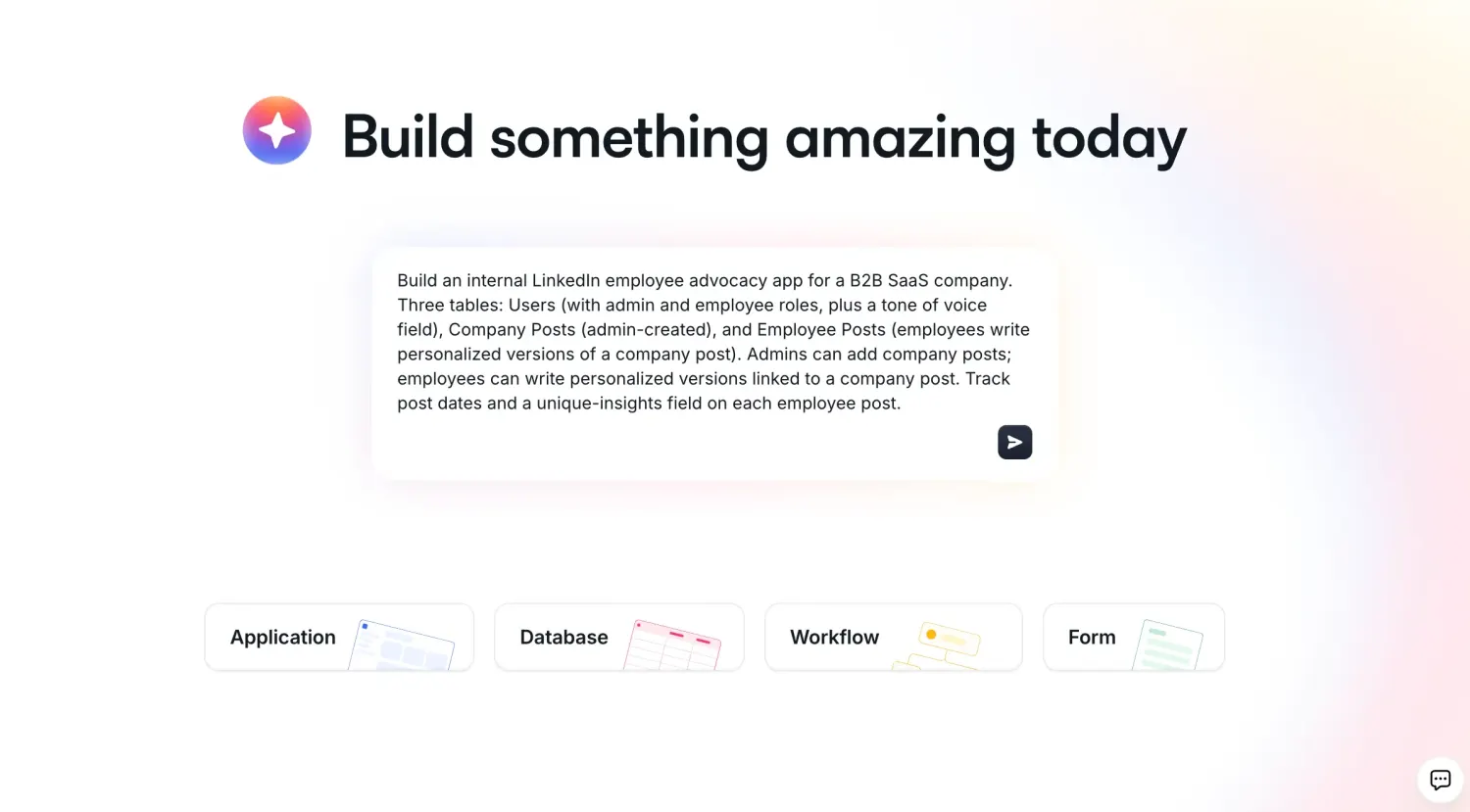
The AI Co-Builder will then ask a few follow-up questions to scope the app. For example, it asks whether people can sign up on their own, or whether you'll invite them. For an intranet, choose No, I'll invite my users or Domain restricted, so only people with company email addresses can join.
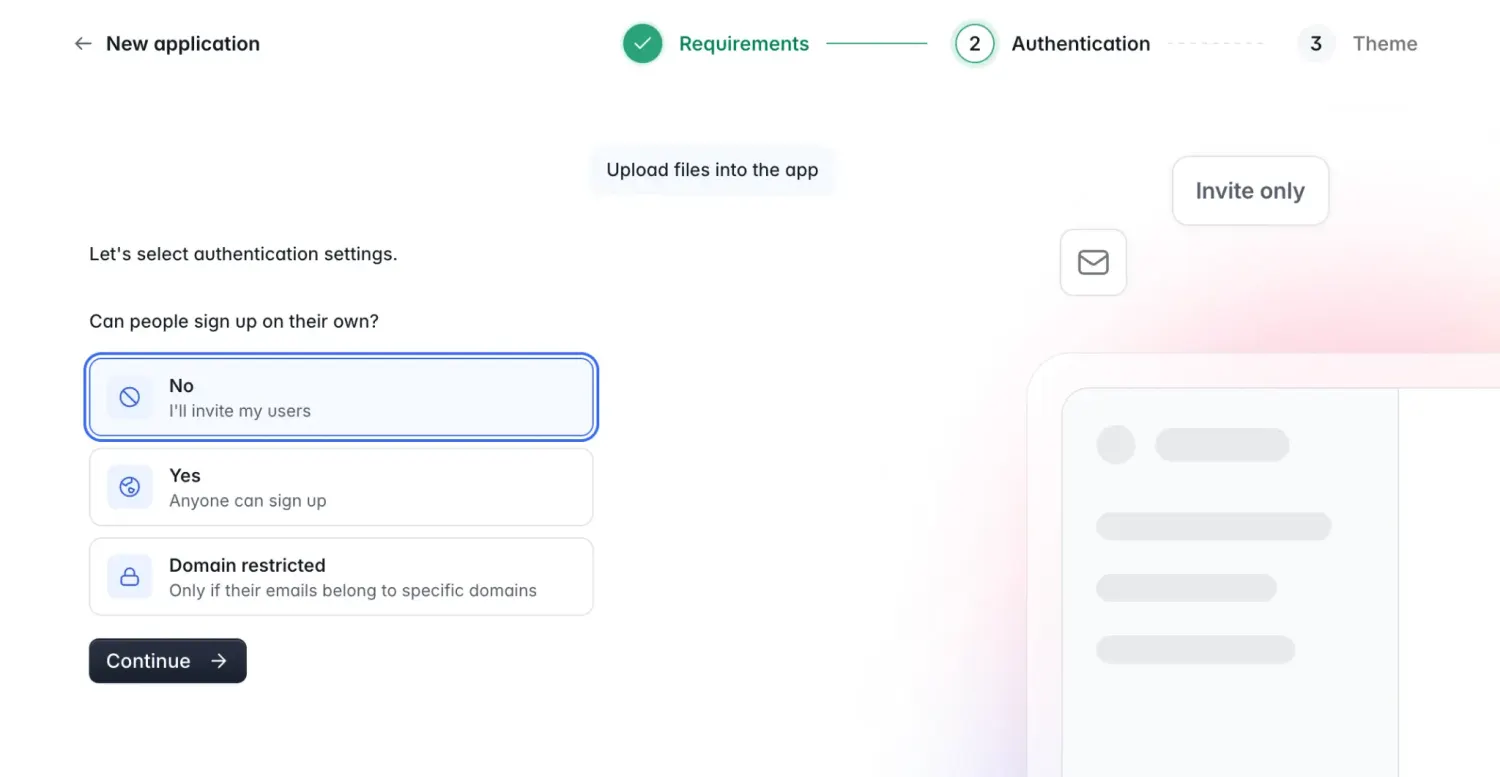
After you pick a visual theme and layout, the AI Co-Builder generates the database, pages, and user groups all in one go.
Step 3: Review your database
Every Softr app runs on data, so check out the data structure first. The AI Co-Builder generates apps on top of Softr's native database. You can open the Data tab to see the tables it created.
For an intranet, you'd see a Users table with a role for each person, plus tables for Departments and Announcements. From here you can rename fields, add the ones you're missing, and replace the sample records with real ones.
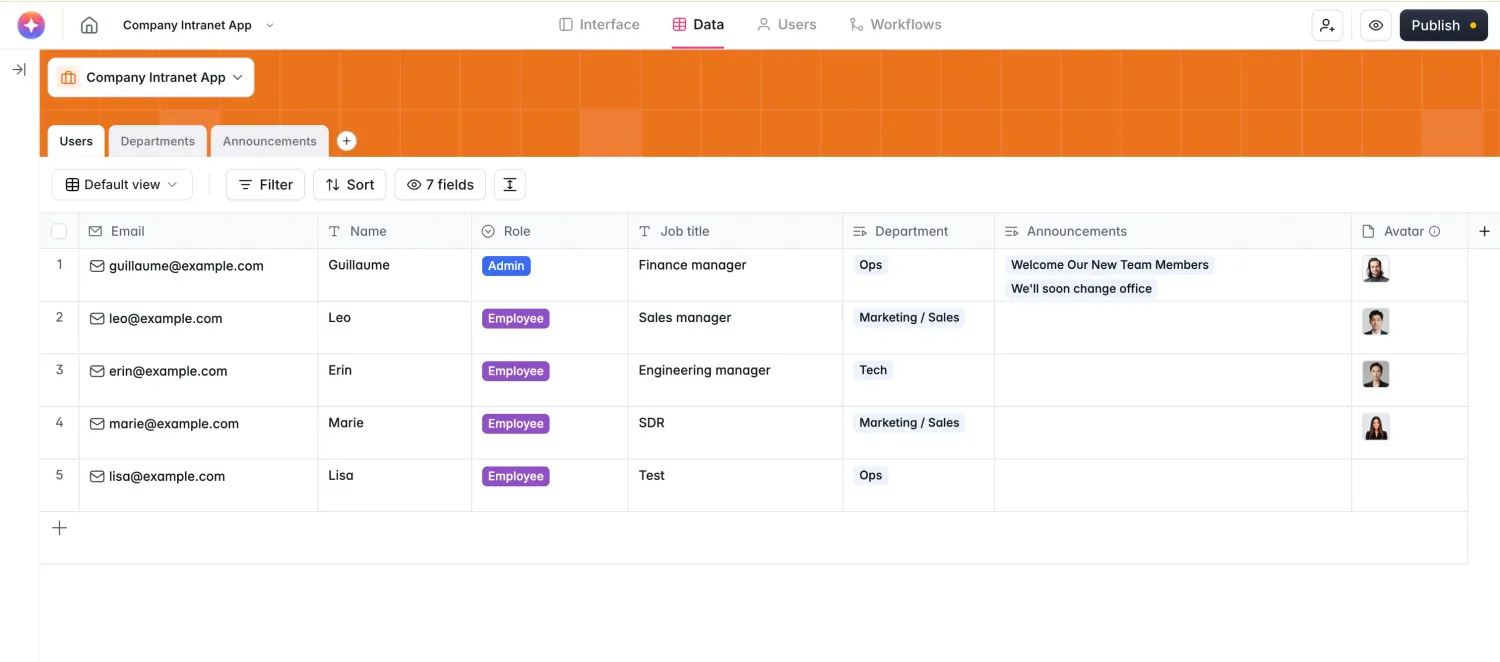
And if you currently keep your data somewhere else, you can import a spreadsheet or Airtable base into Softr Databases (or connect to one of 21+ external data sources).
Step 4: Refine your pages in the visual editor
Open the Interface tab to see the pages the AI Co-Builder generated. Click any block to edit it in the panel on the right.
Each block pulls its records from a table. In the panel, the Source tab sets that table's data connection and any filters. The Content, Actions, and Styles tabs control what the block shows and what users can do with it.
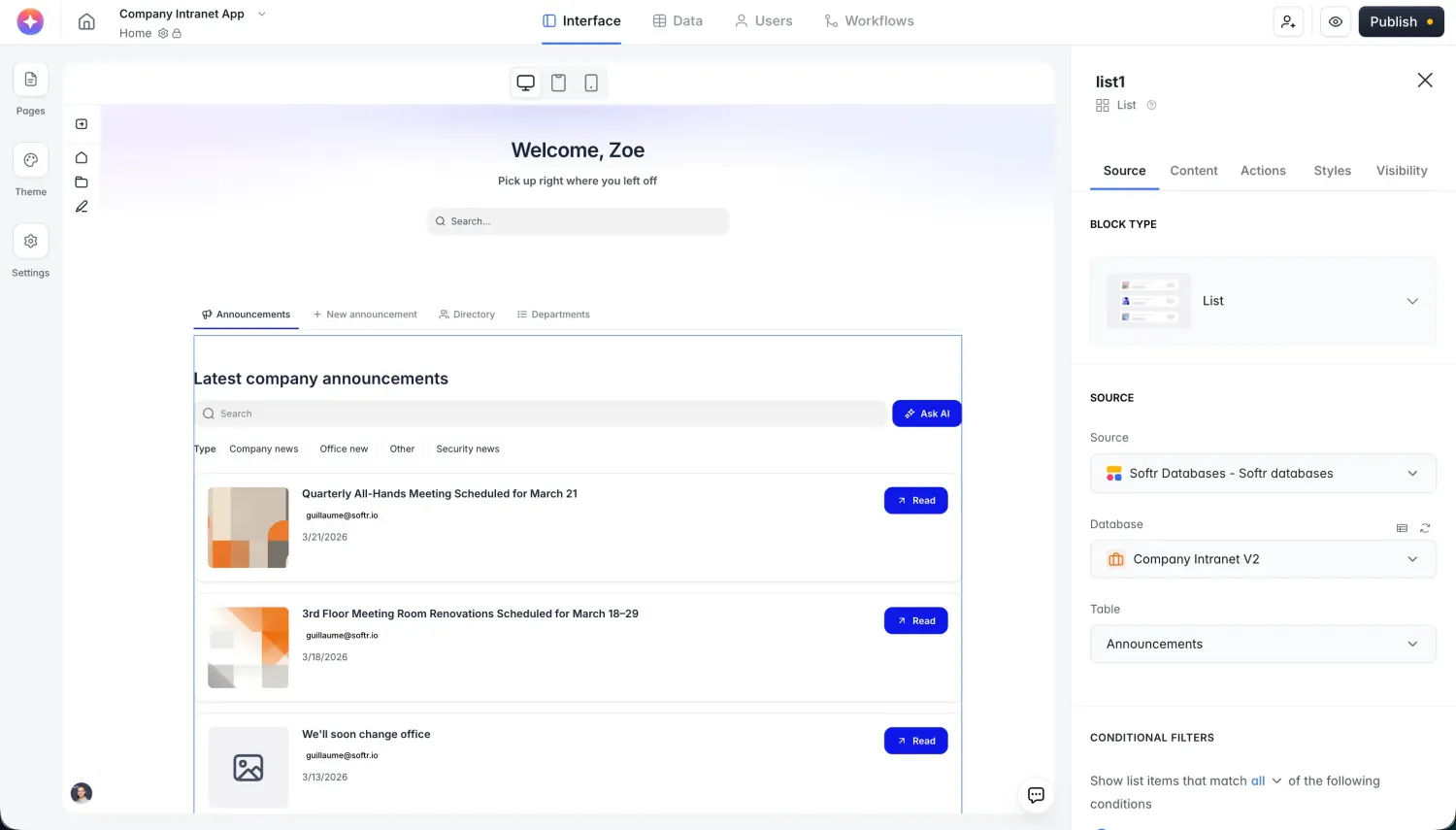
Use the Actions tab to add buttons, such as Add record or Edit. If a block doesn't exist for what you need, simply add a Vibe Coding block and describe the feature you need in plain language.
Step 5: Set up user groups and permissions
User groups decide who sees what. Open the Users tab and go to User Groups. The AI Co-Builder creates groups from the role field in your Users table, such as Admin and Employee.
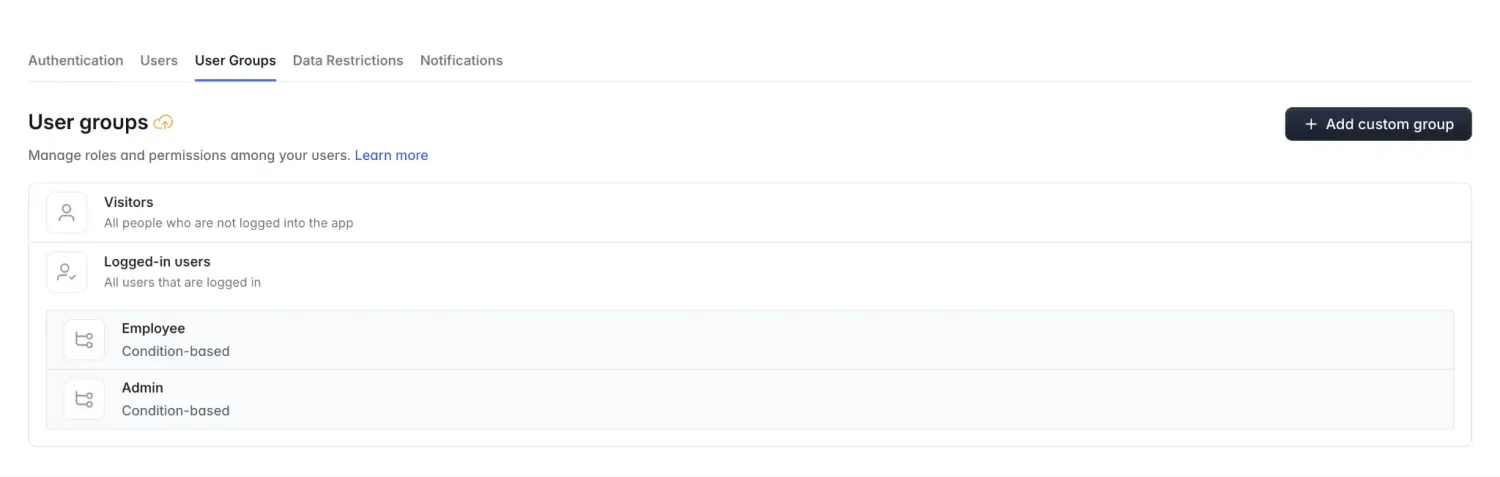
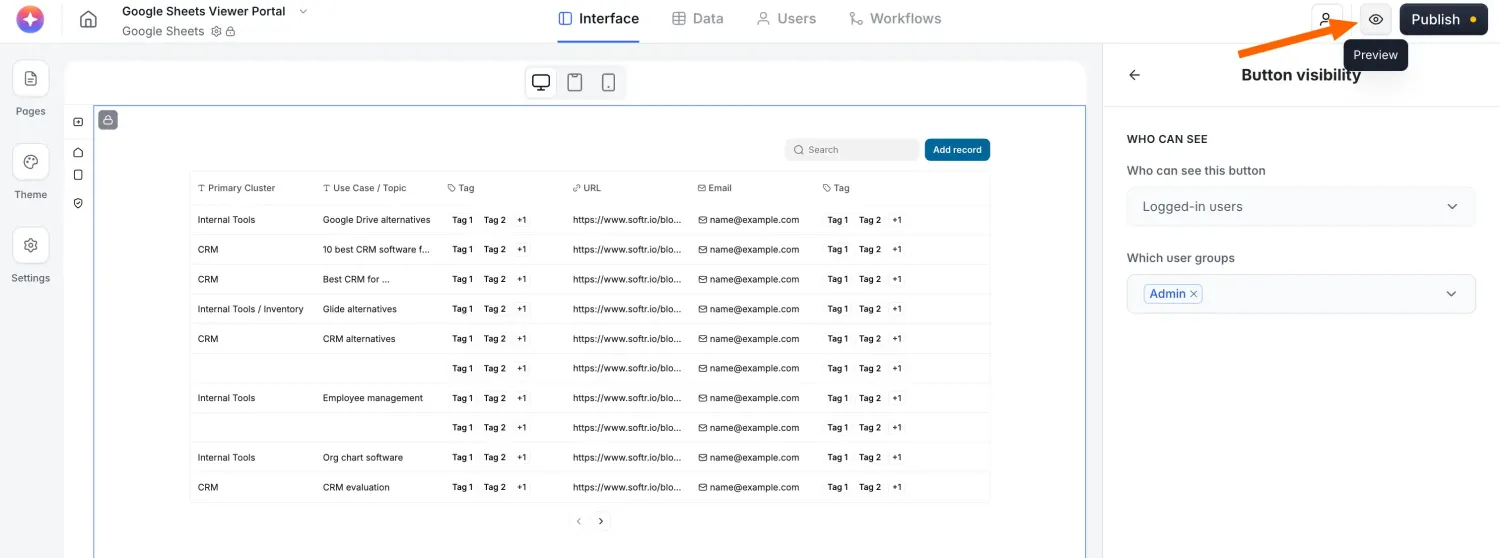
Here, you can set page and block visibility. Open a page's settings to choose which user groups can see the page. Use a block's Visibility tab to hide a block, and a button's visibility settings to limit who can use it. For the intranet, only the Admin group should see the button to post an announcement.
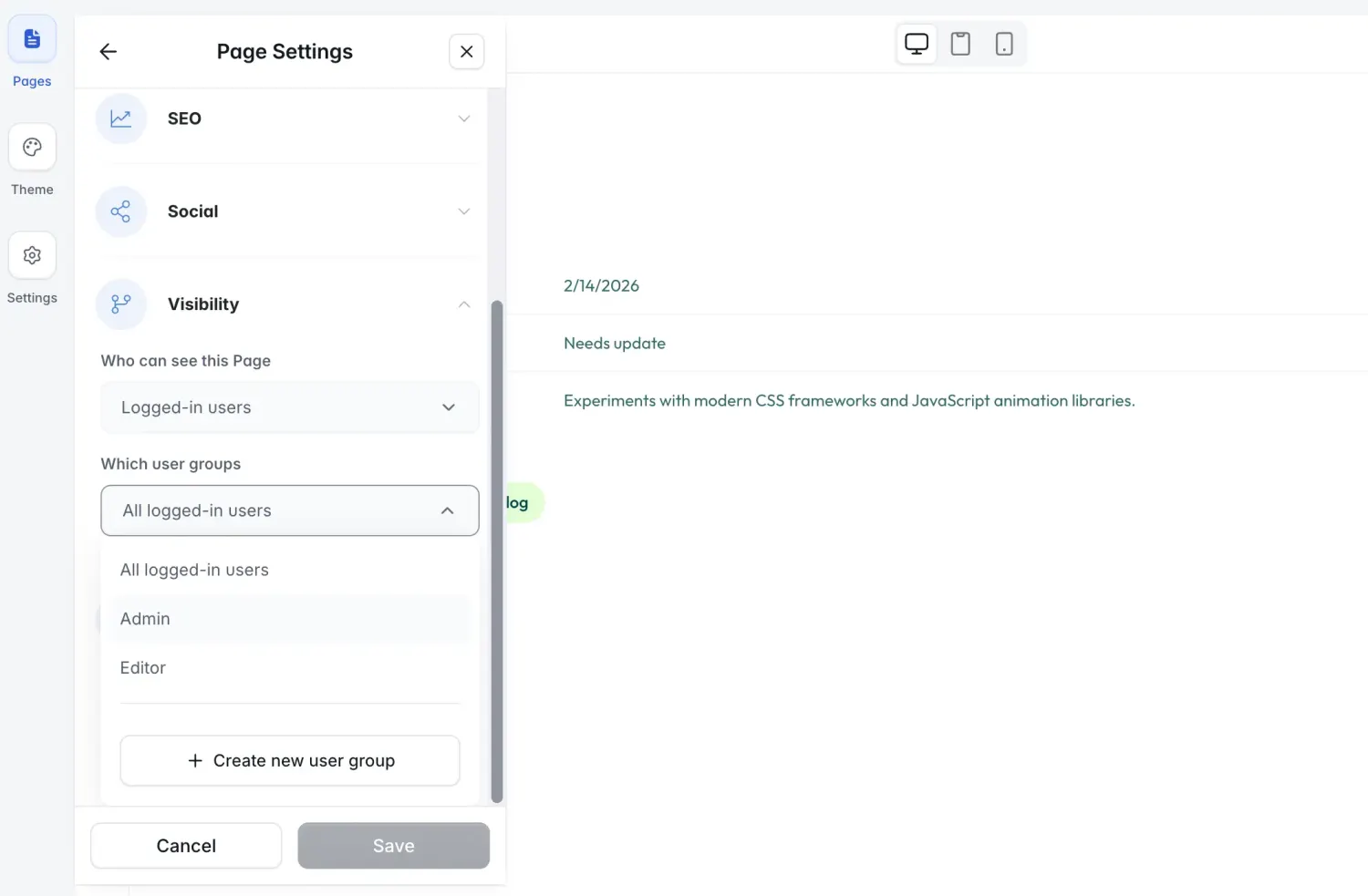
Go to Data Restrictions in the same tab to control which records each user can see or edit.
Step 6: Preview and publish your app
Click the Preview icon next to Publish to see the app as your users will see it. You can preview it as a specific user, so check the app as an admin and as an employee to ensure your permissions work as intended.
When you're happy with the app, click Publish. Your app receives a free Softr subdomain, with no separate hosting or deployment step. On a paid plan, you can add a custom domain instead. Also, whenever you make changes, remember to hit Publish updates to push them live.
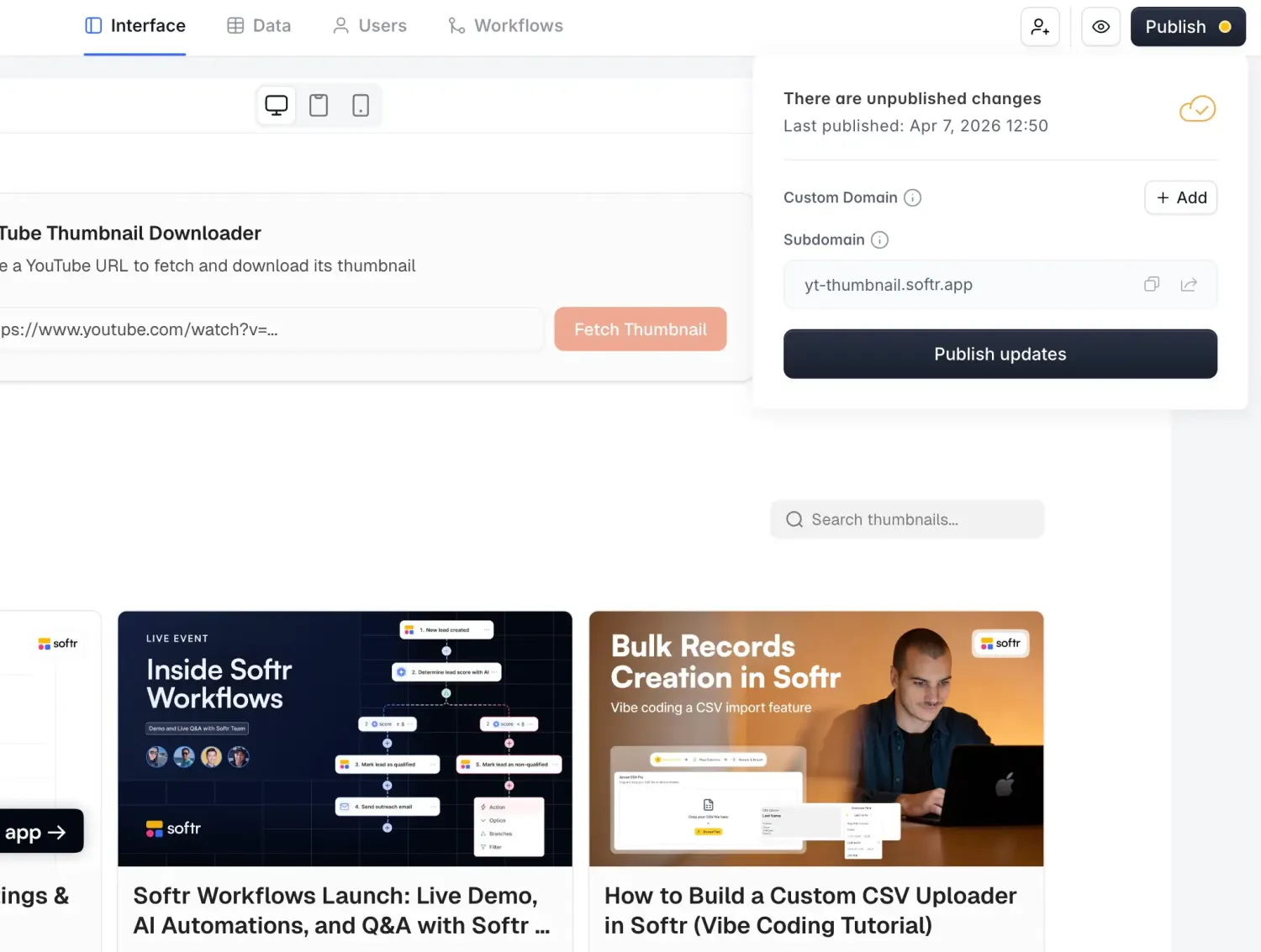
After you publish, invite your team or share the app link so other people can start using it.
3 examples of apps built using Softr
Teams use Softr to replace scattered tools with one app they can run themselves. The three examples below range from a paid membership hub to a client portal for 80+ agency clients.
Here are three examples of web apps built entirely with Softr.
1. Ladies Who Strategize
Ladies Who Strategize (LWS) is an invite-only global community of women and non-binary strategists. For ten years, the community lived across Slack, Notion, Luma, Stripe, and CheddarUp. Gating content by membership tier across those tools was nearly impossible.
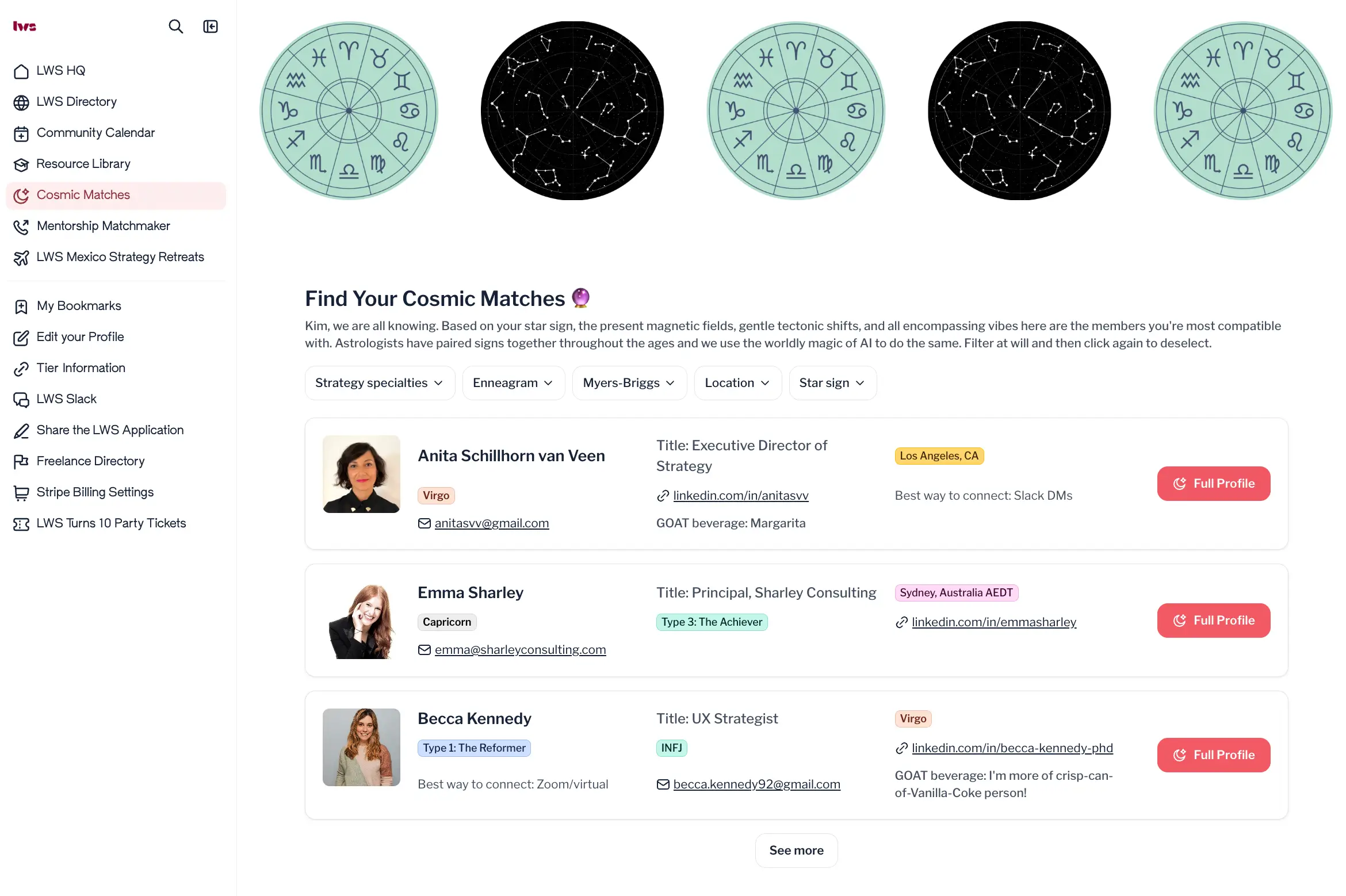
Founder Kim Mackenzie has no technical background. She built the membership hub herself on Softr Databases over a few weeks. Each membership tier maps to a Softr user group, so members only see the resources and events their tier includes. The hub also has a member directory, a mentorship matchmaker, an events calendar, and a "cosmic matchmaker" that suggests three compatible members by star sign.
The hub replaced 4 separate tools. It now serves hundreds of paid members, and 72% of them actively log in and use it.
2. Eight Digit Media
Eight Digit Media is a digital marketing agency that runs webinars and live events for financial advisors and estate planning attorneys. Client requests, change requests, and lead data used to move through email, Notion, and project management tools.
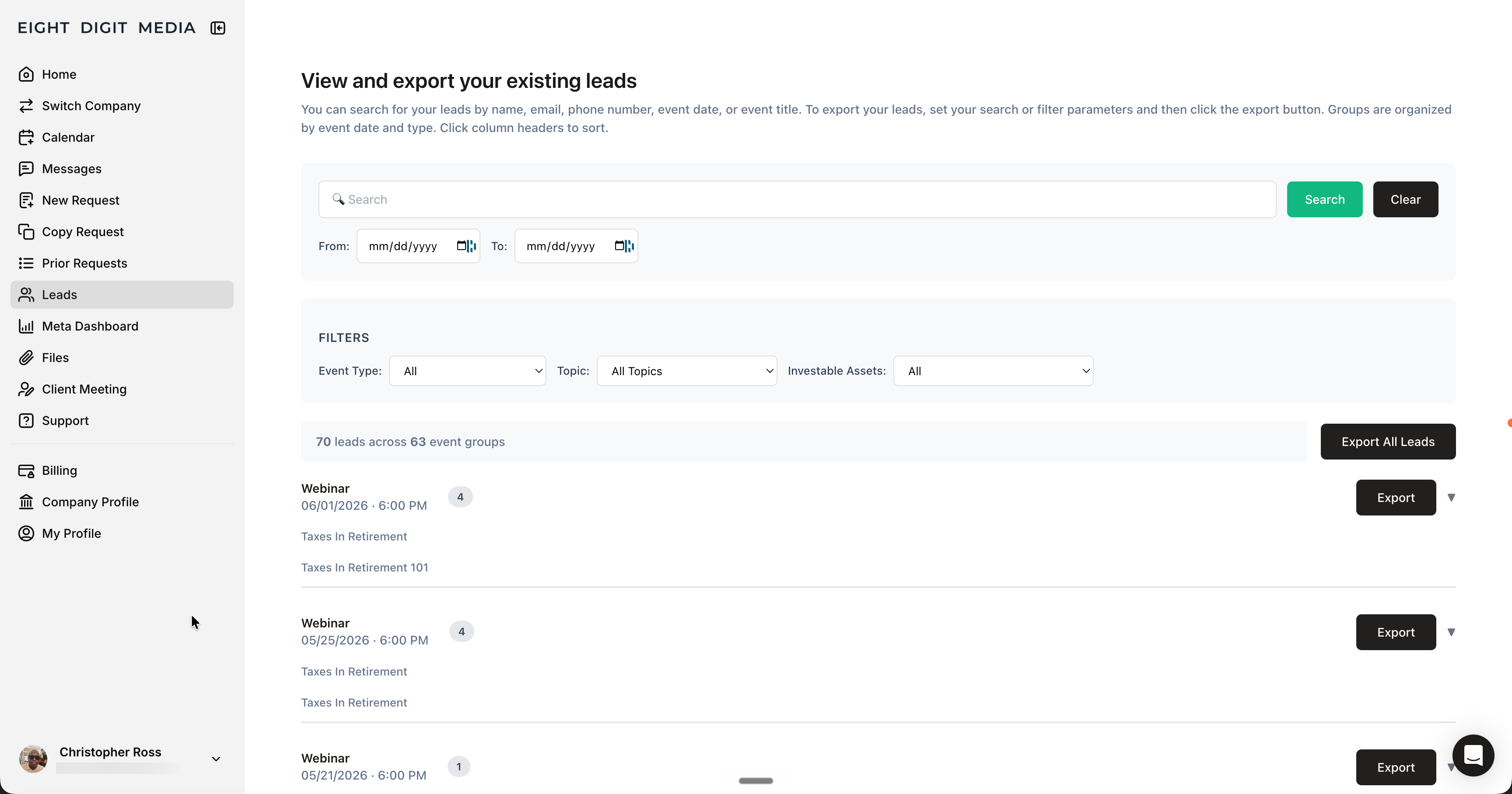
Owner Chris Ross built a client portal over a single weekend. He moved the data from Airtable to Softr Databases and added Supabase for lead storage. Clients submit campaign requests through a form, and a Softr Workflow routes each request, sends a confirmation email, and adds a calendar entry. Clients can also edit live requests, view their leads, and open their Stripe billing portal from the app.
The portal serves 80+ clients and runs on 19+ Softr Workflows. It automated work that used to take two manual roles and saves the agency $500 a month by replacing two SaaS subscriptions.
3. Altitude Marketing
Altitude Marketing is a B2B marketing agency. Every prospect needs different sales content based on their industry and the services they're considering. Before Softr, sales reps emailed PDFs and had no way to see what prospects opened.
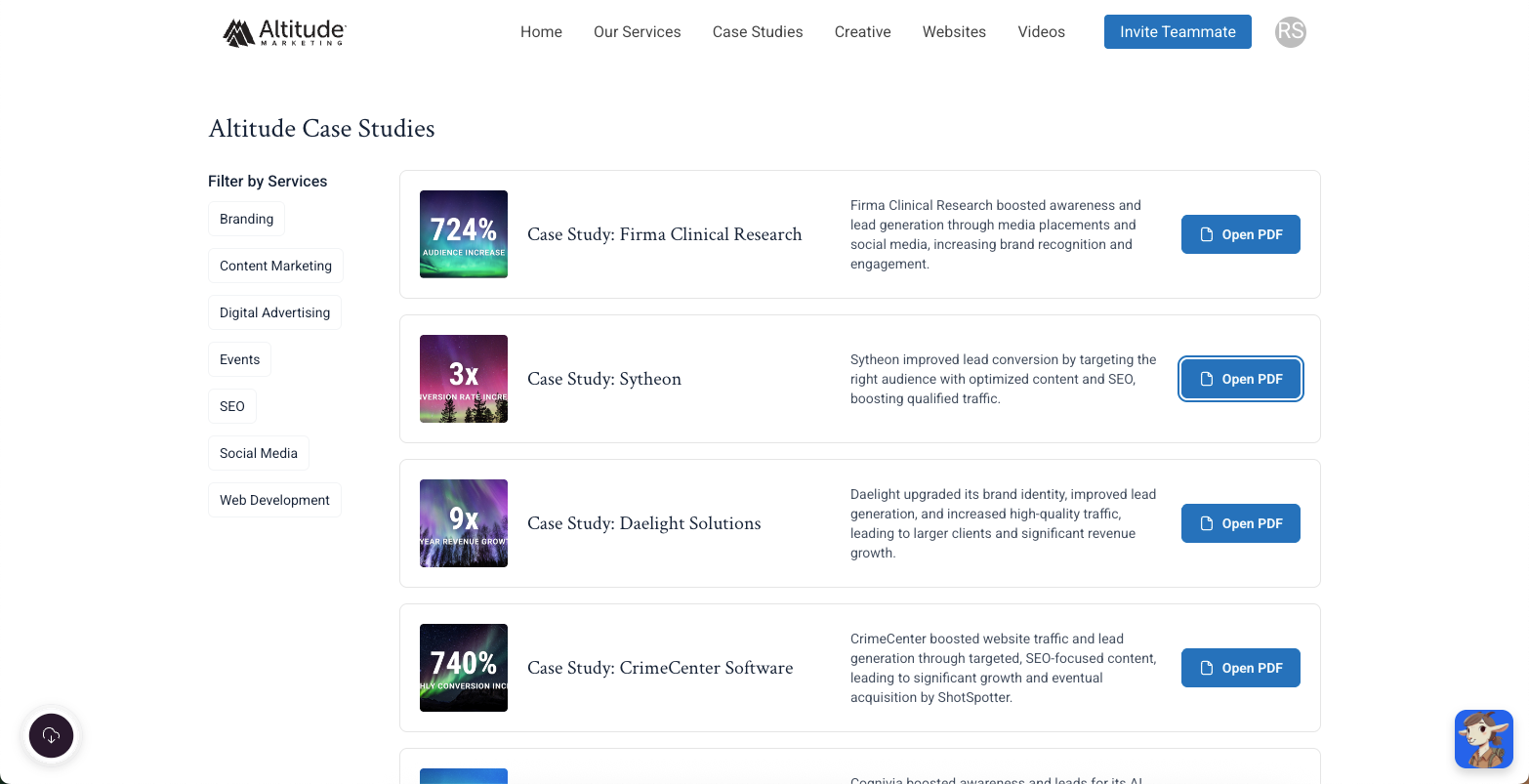
CSO and partner Adam Smartschan built a sales enablement portal in Softr on top of the agency's existing Airtable base. A sales rep fills out a short form about the prospect, and the prospect gets a magic link to a portal with case studies filtered to their industry. Reps can see when each prospect last logged in and what they saved or shared, and that activity flows back into HubSpot.
The portal has been used 295+ times and saves the 5-person revenue marketing team an estimated 1 to 2 hours per prospect.
Best practices for building an app
While building any app, business or otherwise, keep these tips in mind:
- Understand the issue your app is solving and the needs of your target users
- Start with your data structure, not your pages. Success with a no-code app is 80% data structure
- Define clear goals for your app, such as user engagement or time saved on manual work
- Let the AI Co-Builder generate your first draft (database, pages, and permissions), then refine it by hand
- Start with templates relevant to your app's purpose if you'd rather not prompt from scratch
- Focus on essential features before adding advanced functionalities
- Make sure that your app looks and works well on mobile devices
- Get feedback from real users to refine the app's functionality and interface
- Use role-based permissions and data restrictions to control exactly who sees what
- Add a Vibe Coding block for any features a pre-built block doesn't cover
Build your first app for free today
Creating an app doesn't have to be expensive or complicated. Softr's free plan includes unlimited apps and forms for up to 3 builders, plus 5 app users, 5,000 database records, and 5 AI credits a month. You can easily test a real idea before spending a cent. When your app grows past the free limits, paid plans start at $19/month.
Sign up for free and start building.
Frequently asked questions
Can I create an app without coding?
Can a free app make money?
How can I make an app with no money?
What is the best free app builder?
Do I need a database before I start building my app?