As an independent contractor juggling multiple clients, I’ve used Airtable to track deadlines and manage deliverables. It’s great when you need a flexible no-code database, or lightweight internal apps on top of that data. But it can get expensive as your team grows, and it’s not always the best fit for client-facing apps that need deep UI customization, granular user permissions, or PWA support. Here are nine of the best alternatives I reviewed.
{{cta-1}}
The 9 best Airtable alternatives at a glance
| Alternative | Best for | Why choose it over Airtable? | Free plan | Starting price |
|---|---|---|---|---|
| Softr | Building full-stack business apps | Built-in database, custom interfaces, authentication, and granular permissions | Yes | $19/month |
| Stackby | Airtable-like database workflows | Similar spreadsheet experience with CRM features (email sync, activity tracking) built in | Yes | $4.20/user/month ($149/year for 3 users) |
| SmartSuite | Operational workflows with templates | 200+ industry templates and built-in project views out of the box | 14-day trial | $15/user/month (3-user minimum) |
| Baserow | Open-source databases | Self-hosting and full control over your data | Yes | $10/user/month |
| NocoDB | SQL-backed databases | Turns an existing Postgres or MySQL database into a no-code frontend with instant APIs | Yes (self-hosted) | $12/user/month |
| Google Sheets | Free and simple alternative | No cost, near-universal familiarity, and works offline | Yes | Free (Google Workspace from $7/user/month) |
| Monday.com | Project management | Purpose-built boards, timelines, and automations for managing work, not just data | Yes (2 seats) | $9/seat/month (3-seat minimum) |
| Notion | Docs and lightweight databases | Combines notes, wikis, and databases in one workspace | Yes | $10/user/month |
| Coda | Interactive docs and workflows | Turns docs into interactive tools with buttons, automations, and formulas | Yes | $10/user/month |
How I evaluated Airtable alternatives
I tested each alternative using five core criteria: how flexible and scalable the platform's database is, how granular the permission controls are (particularly for external users), whether you can build custom interfaces or full apps on top of the data, how pricing scales as you add users and records, and how well it integrates with the tools currently in your tech stack.
1. Softr — best for building full-stack business apps
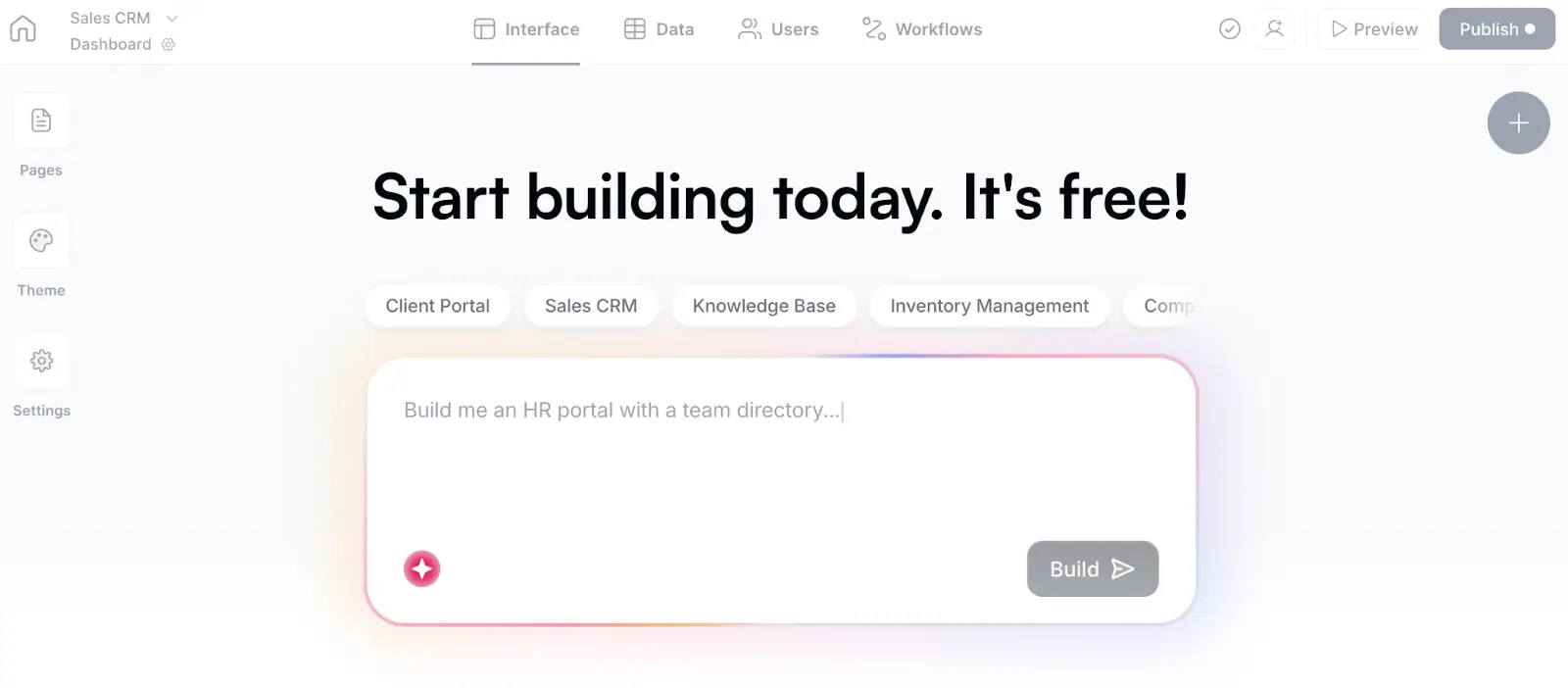
Softr is the best Airtable alternative for teams that need more than a backend. It combines a relational database with an AI app builder, authentication, granular permissions, custom interfaces, and built-in workflow automation. You can replace Airtable entirely or continue using it as a connected data source. The AI Co-Builder generates secure apps in minutes—complete with a database, interface, and business logic—and you can continue iterating with prompts or with the no-code visual editor.
| Capability | Airtable | Softr |
|---|---|---|
| Relational database | Yes | Yes |
| AI-generated database and application | Limited | Yes |
| External user authentication | Limited | Yes |
| Custom user groups and permissions | Limited | Yes |
| Client-facing applications | Limited | Yes |
| Multiple connected data sources | Limited | Yes |
| Direct Airtable import | N/A | Yes |
Bottom line: Softr is best for teams that need advanced business app-building capabilities (such as client portals, CRMs, and employee tools) and want to replace a fragmented stack of tools like Airtable, Zapier, Make, and Tally with an all-in-one solution that includes built-in databases, workflows, app building, and forms.
Where Softr beats Airtable:
- UI flexibility and customization: Airtable's Interface is a good solution when you need a simple interface or basic layout to access the data. To extend its capabilities further, you need to add many 3rd party extensions, forms, Javascript code and more. Softr’s AI app builder can create unique interfaces, advanced layouts using vibe coding (AI) block, conditional forms, all custom to your unique needs.
- Internal and external facing standalone apps: Airtable is not suitable for advanced internal tools or client-facing, external apps due to its limited customization, seat limits/pricing, login options (every client has to have a seat in Airtable). With Softr teams can build standalone internal tools and client portals with native user auth, secure login, with no seat based pricing. Secure hosting, SOC 2 Type 2 compliance, SSO, and audit logs included.
- Roles and granular permissions: Softr offers more granular roles and permissions, down to individual record or field level, not just base-level access.
- Built-in relational database & workflows. Softr’s has its native relational databases solution, or lets you import from anywhere (Airtable, CSV, GSheets, etc). Airtable’s automations are embedded with the database, so you can’t use it to run standalone jobs, automations. Softr’s workflows platform (an alternative to Zapier or Make) lets you create custom workflows, connect them with your app actions, run data transformation, jobs (one time or recurring) and much more.
- Connect to 100+ external data sources: Pull data from Airtable or other native data sources (Hubspot, Salesforce, etc), or connect to 100s of 3rd party integrations such as Slack, QuickBooks, Docusign and more via workflows.
Where Airtable is better:
- More database views available directly inside the data layer
- More familiar spreadsheet-style base editing
- Larger ecosystem of extensions
Best for: Operations teams building portals, CRMs, internal tools, dashboards, or inventory applications.
Who Softr is not for: Teams that only need a basic spreadsheet-style database with native grid, kanban, and calendar views baked directly into the data layer.
Migrating from Airtable:
- Migration method: Native Airtable application and database importer.
- What transfers: Tables, fields, records, and linked-record relationships, apps.
- What may require rebuilding: Embedded automations, heavy formulas, scripts inside Airtable bases (can be replaced with more powerful Workflows with custom code capabilities).
Pricing: Free plan; paid plans start at $19/month.
Verdict: Choose Softr when Airtable's database or Interface Designer can no longer support the application, permissions, or external-user experience you need.
2. Stackby — Airtable-like alternative
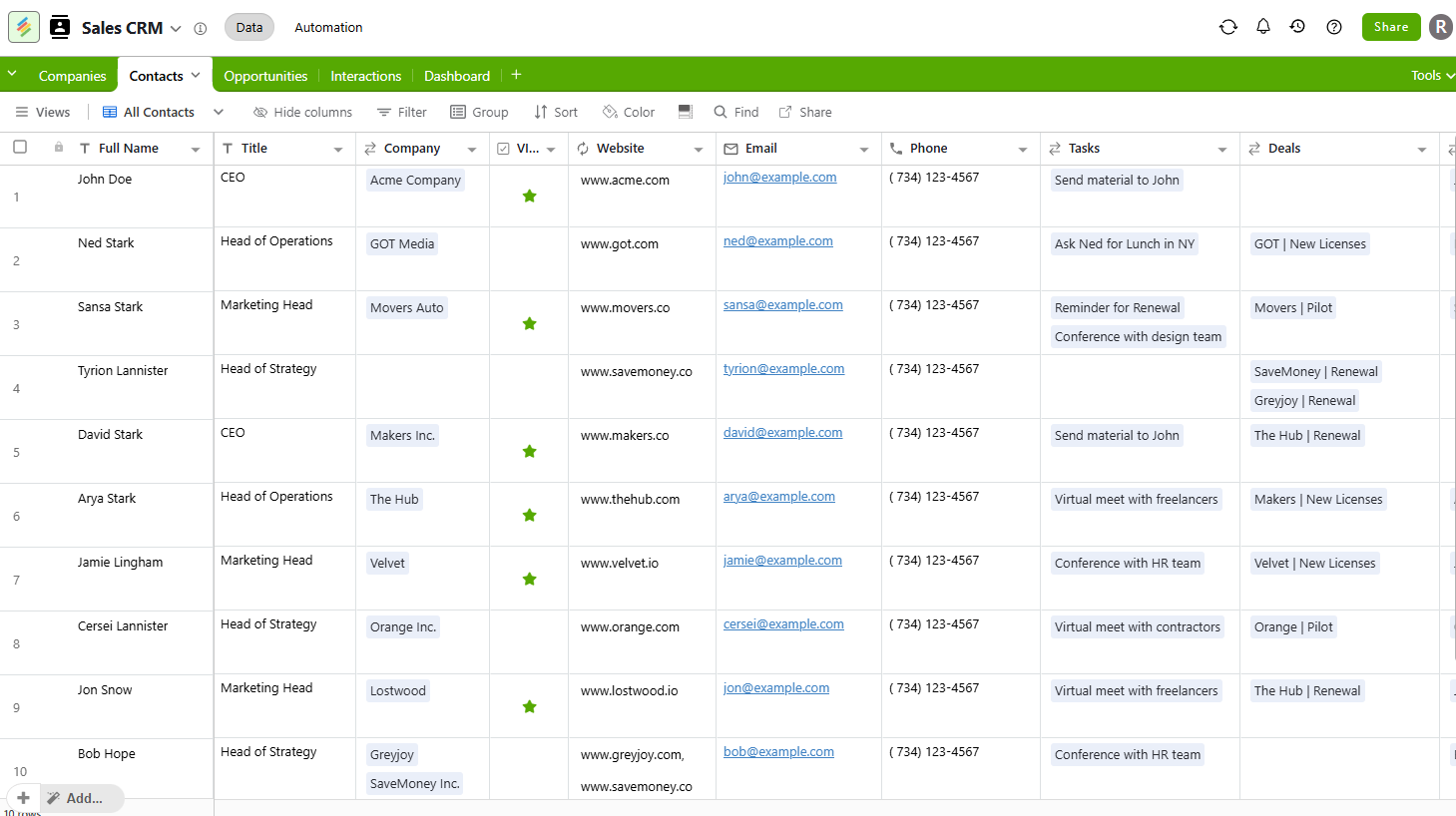
Bottom line: Stackby is the closest Airtable look-alike on this list, adding CRM-style features like two-way email sync and activity tracking directly into a spreadsheet-database hybrid.
Where Stackby beats Airtable:
- Two-way Gmail/Outlook sync and per-record activity tracking built into the database
- 25+ specialized column types and "Powerups" for CRM, marketing, and ops use cases
- Lower cost per seat than Airtable at every paid tier
Where Airtable is better:
- Larger integration marketplace and automation ecosystem
- More mature interface and app-builder tooling for non-technical teams
- Larger community of templates and extensions
Who Stackby is not for: Teams that need a full application layer with user authentication and permissions.
Migrating from Airtable:
- Migration method: CSV or Google Sheets import; no dedicated one-click Airtable connector
- What transfers: Tables, fields, and records
- What may require rebuilding: Linked-record relationships, automations, and views
Pricing: Free plan; paid plans start at $4.20/user/month ($149/year, billed annually for 3 users).
Verdict: Choose Stackby if you want an Airtable-like spreadsheet experience with CRM features layered in, at a lower price per seat.
3. SmartSuite — for operational workflows
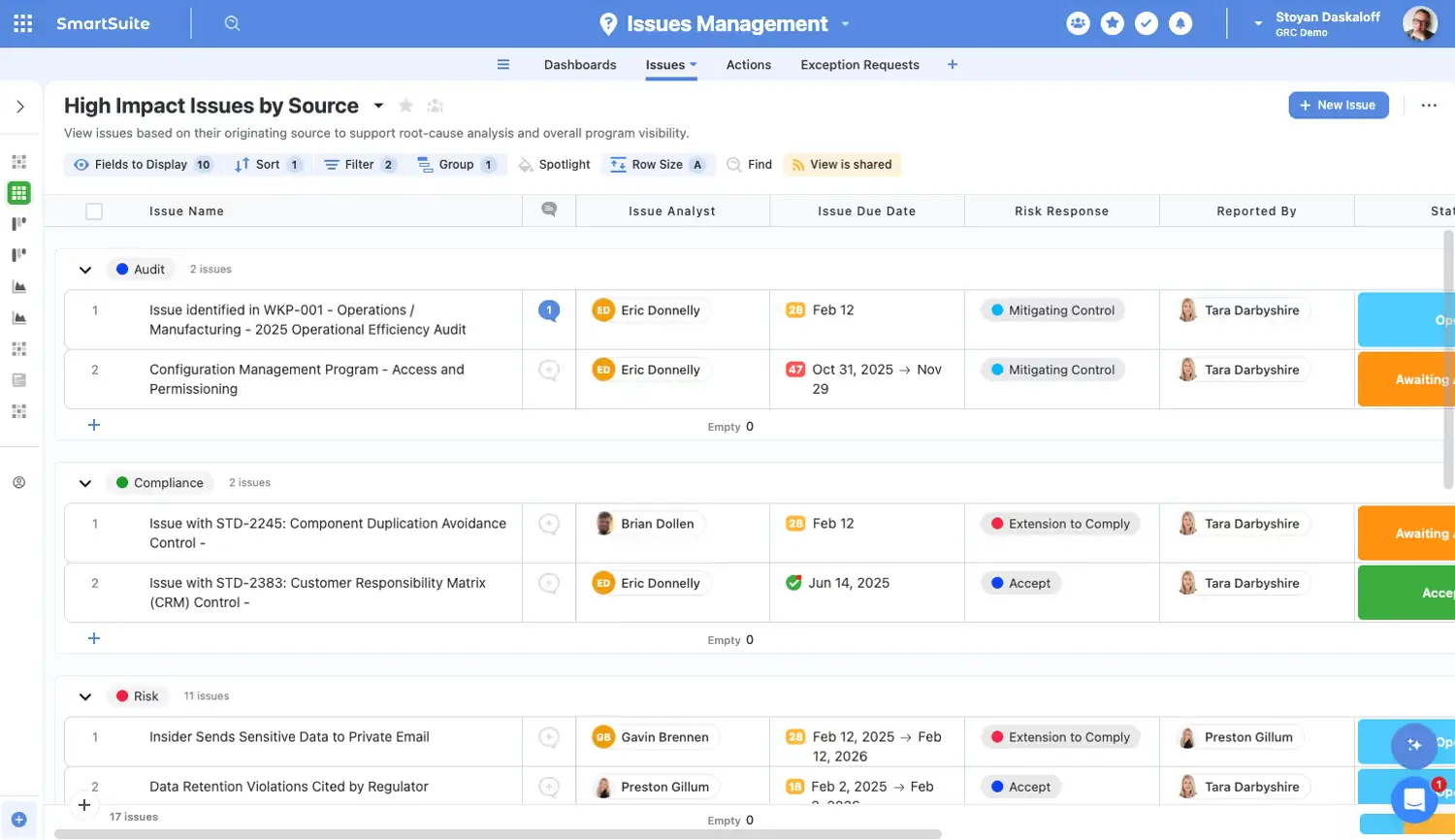
Bottom line: SmartSuite mirrors Airtable's spreadsheet interface closely, then adds 200+ industry templates and project-management views on top.
Where SmartSuite beats Airtable:
- 200+ ready-made templates across marketing, HR, real estate, and other verticals
- Built-in project-management views (Gantt, kanban) without needing an add-on
- Simpler entry-level pricing for small teams
Where Airtable is better:
- Larger integration and automation ecosystem
- More mature API and developer tooling
- Cleaner, less busy interface for basic use cases
Who SmartSuite is not for: Teams that rely heavily on Airtable's automation or third-party integrations.
Migrating from Airtable:
- Migration method: CSV import; no native one-click Airtable connector
- What transfers: Tables, fields, and records
- What may require rebuilding: Linked-record relationships, automations, and views
Pricing: 14-day free trial; paid plans start at $15/user/month (3-user minimum).
Verdict: Choose SmartSuite if you want Airtable's core experience with built-in project-management templates (and don't need Airtable's broader integration library).
4. Baserow — open-source alternative
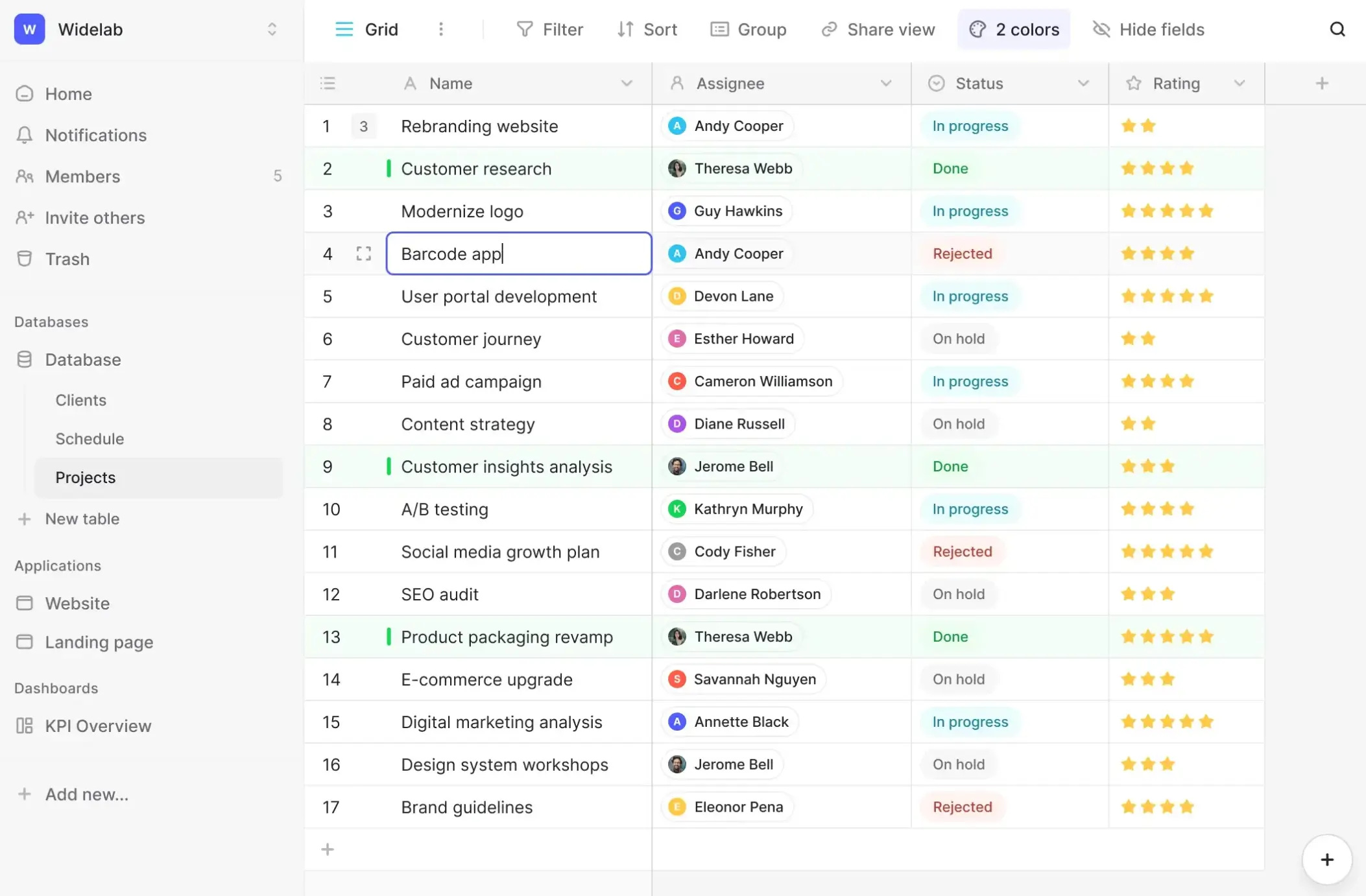
Bottom line: Baserow matches Airtable's core table-and-field experience while giving you the option to self-host or deploy on Baserow's cloud.
Where Baserow beats Airtable:
- Fully open-source with self-hosting for complete data ownership
- No per-seat pricing on the free, self-hosted tier
- REST API and plugin system for custom extensions
Where Airtable is better:
- Larger template and integration library
- More polished interfaces and app-building tools
- Easier setup for non-technical teams, since it requires no hosting decisions
Who Baserow is not for: Teams without the technical resources to manage self-hosting, or that want Airtable-level polish right out of the box.
Migrating from Airtable:
- Migration method: CSV import; no native one-click Airtable connector
- What transfers: Tables, fields, and records
- What may require rebuilding: Linked-record relationships, automations, and views
Pricing: Free plan (unlimited databases, 2GB storage); paid plans start at $10/user/month.
Verdict: Choose Baserow if data ownership and self-hosting are top priorities, as opposed to Airtable's ease of use andd integration library.
5. NocoDB — for SQL-backed databases
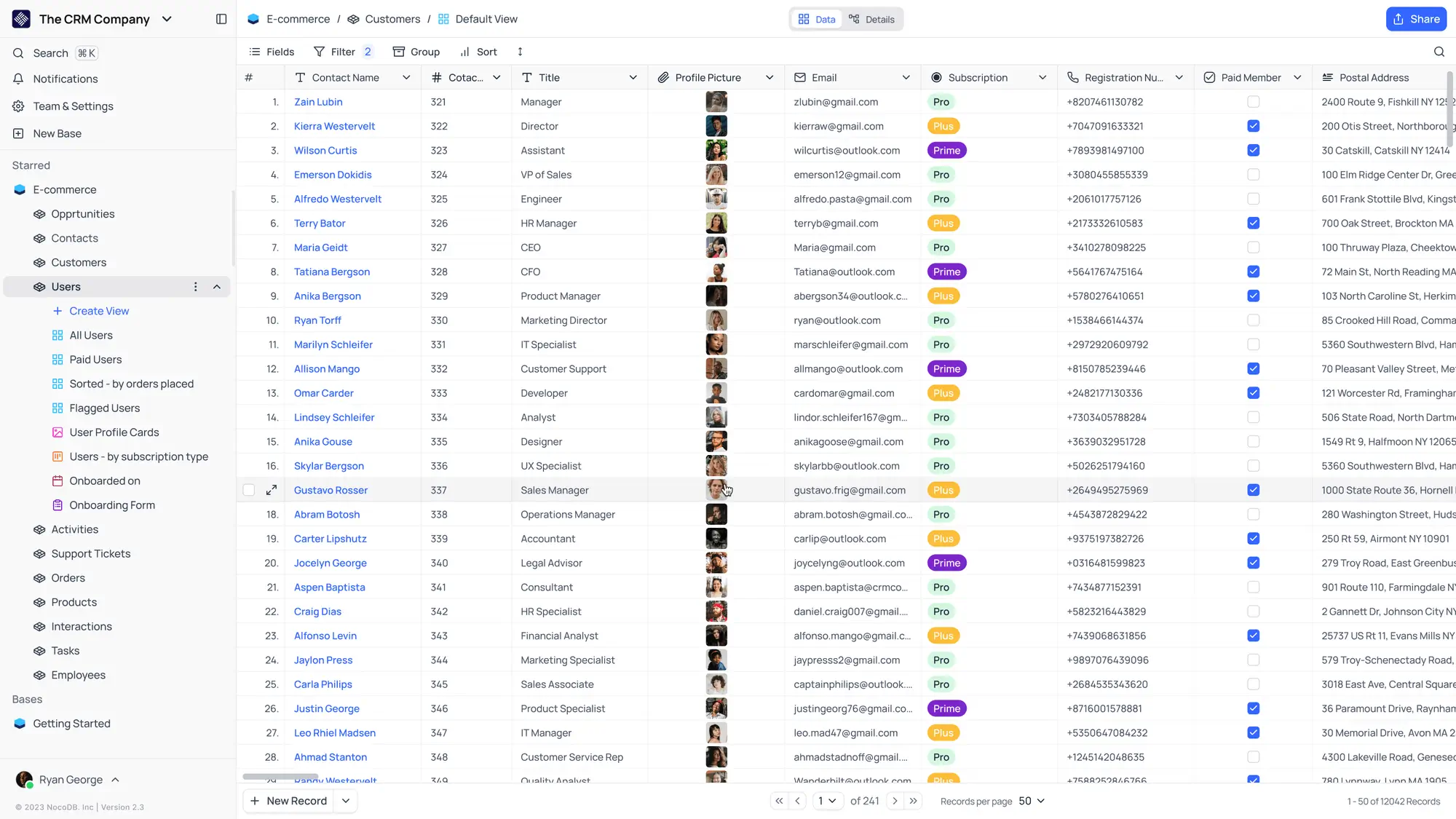
Bottom line: NocoDB turns an existing Postgres, MySQL, or SQLite database into an Airtable-style interface, with instant REST APIs generated for every table.
Where NocoDB beats Airtable:
- Works directly on top of your existing SQL database instead of a proprietary format
- Auto-generates REST APIs for every table with no extra setup
- Open-source, with a free self-hosted tier
Where Airtable is better:
- Far easier for non-technical users to set up and use
- Larger library of templates and prebuilt use cases
- More mature automation and integration tooling
Who NocoDB is not for: Non-technical teams that want a ready-to-use database without connecting their own SQL backend.
Migrating from Airtable:
- Migration method: CSV import; no native one-click Airtable connector
- What transfers: Tables, fields, and records
- What may require rebuilding: Linked-record relationships, automations, and views
Pricing: Free self-hosted plan; paid plans start at $12/user/month.
Verdict: Choose NocoDB if you already run a SQL database and want a no-code layer with instant APIs on top of it.
6. Google Sheets — free and simple alternative
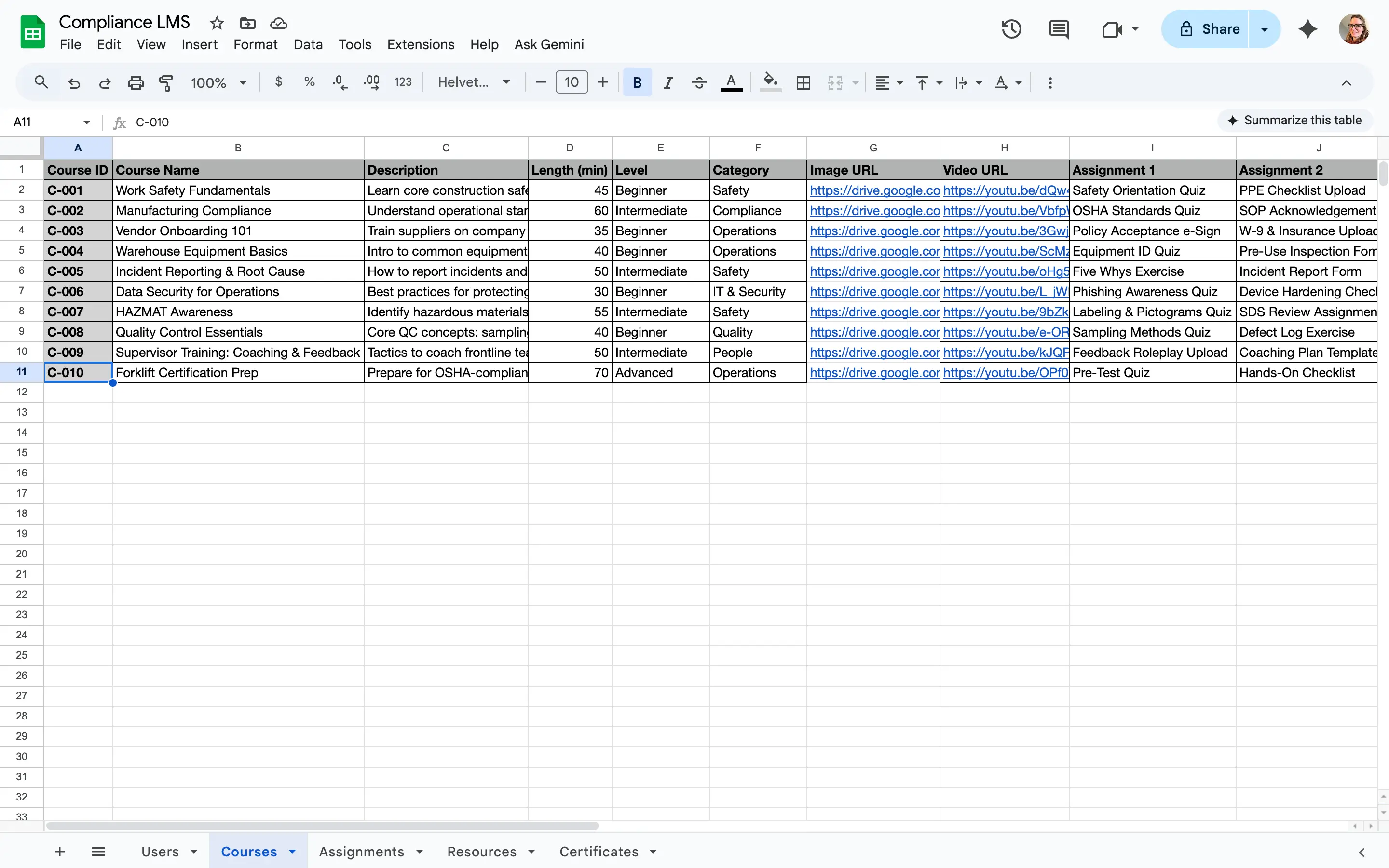
Bottom line: Google Sheets is the simplest and cheapest Airtable alternative, trading relational database structure for near-universal familiarity and zero cost for individual use. Just know you aren't getting a spreadsheet rather than a true database.
Where Google Sheets beats Airtable:
- Free for individual use, with no record or base limits tied to a paid plan (beyond the 10 million cell limit)
- Familiar spreadsheet interface that almost every team member will be familiar with
- Real-time multi-user editing and commenting built in for collaboration
Where Airtable is better:
- True relational database structure with linked records and lookups
- Field types built for structured data, like attachments and formulas across linked tables
- Views (kanban, calendar, gallery) designed for non-spreadsheet workflows
Who Google Sheets is not for: Teams managing linked records across multiple tables, or that need row-level permissions and structured views.
Migrating from Airtable:
- Migration method: Export each Airtable table as CSV, then import into a new sheet
- What transfers: Field values as plain text or numbers
- What may require rebuilding: Linked-record relationships, attachments, formulas, and views; Sheets has no native equivalent for Airtable's linked records
Pricing: Free for individual use; Google Workspace (for business email and admin controls) starts at $7/user/month.
Verdict: Choose Google Sheets if you need a free, simple way to track data and don't require relational structure or permissions.
7. Monday.com — for project management
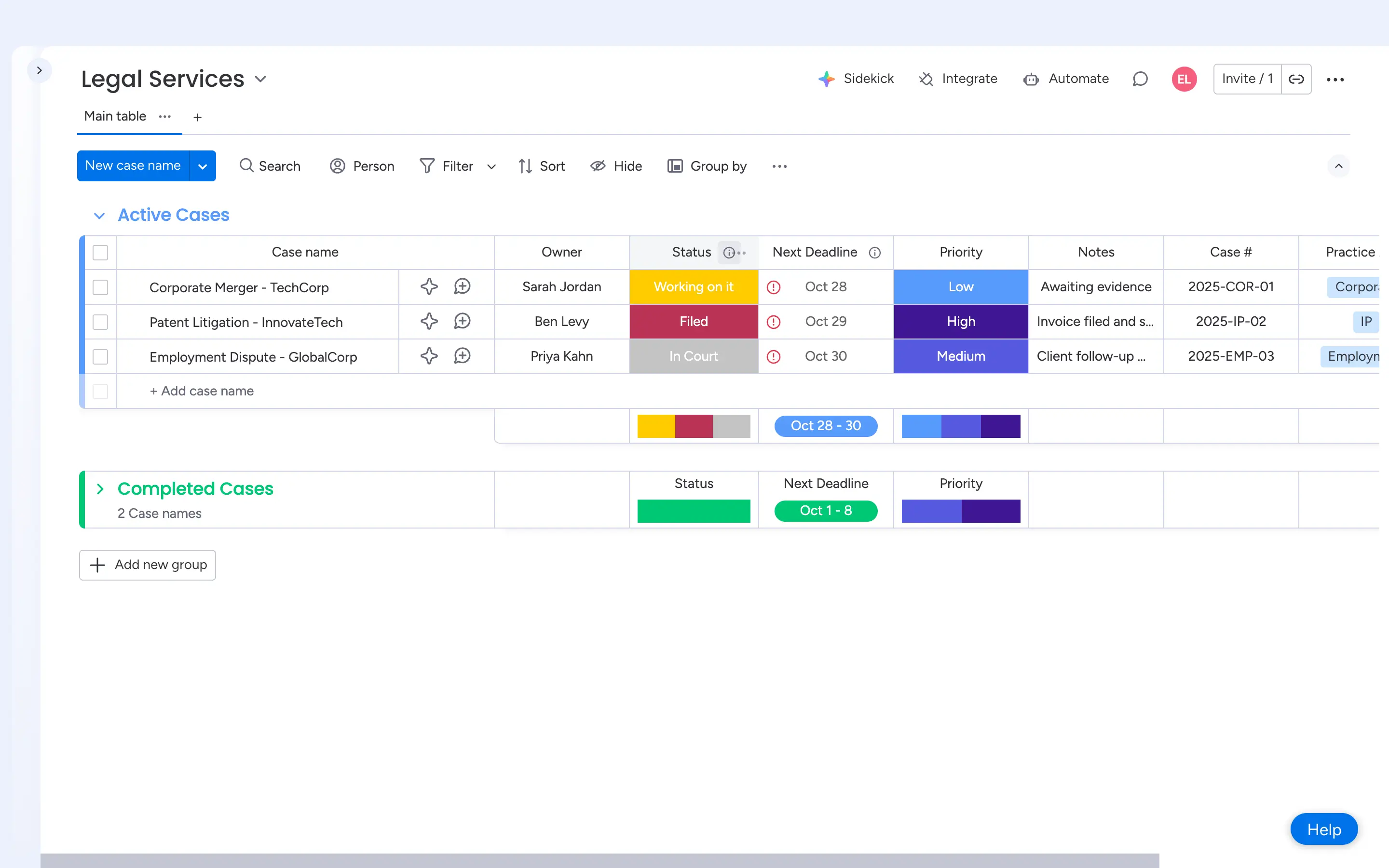
Bottom line: Monday.com is a work-management platform built around boards and timelines, not a database. Choose it when you're managing work and projects rather than storing relational data.
Where Monday.com beats Airtable:
- Purpose-built project views: Gantt, timeline, and workload out of the box
- Deeper automation and integration library for workflow-heavy teams
- Dedicated CRM and dev-team products built on the same platform
Where Airtable is better:
- True relational database with linked records across tables
- More flexible field types for structured data, like attachments, formulas, and lookups
- Lower cost for teams that just need a database, not full project management
Who Monday.com is not for: Teams that need a relational database with linked records across multiple tables.
Migrating from Airtable:
- Migration method: CSV import; no native one-click Airtable connector
- What transfers: Tables (as boards) and field values
- What may require rebuilding: Linked-record relationships, formulas, and views
Pricing: Free plan (2 seats); paid plans start at $9/seat/month (3-seat minimum, billed annually).
Verdict: Choose Monday.com if your team needs project management more than a database, and consider pairing it with a tool like Softr if you also need a relational data layer.
8. Notion — for docs and lightweight databases
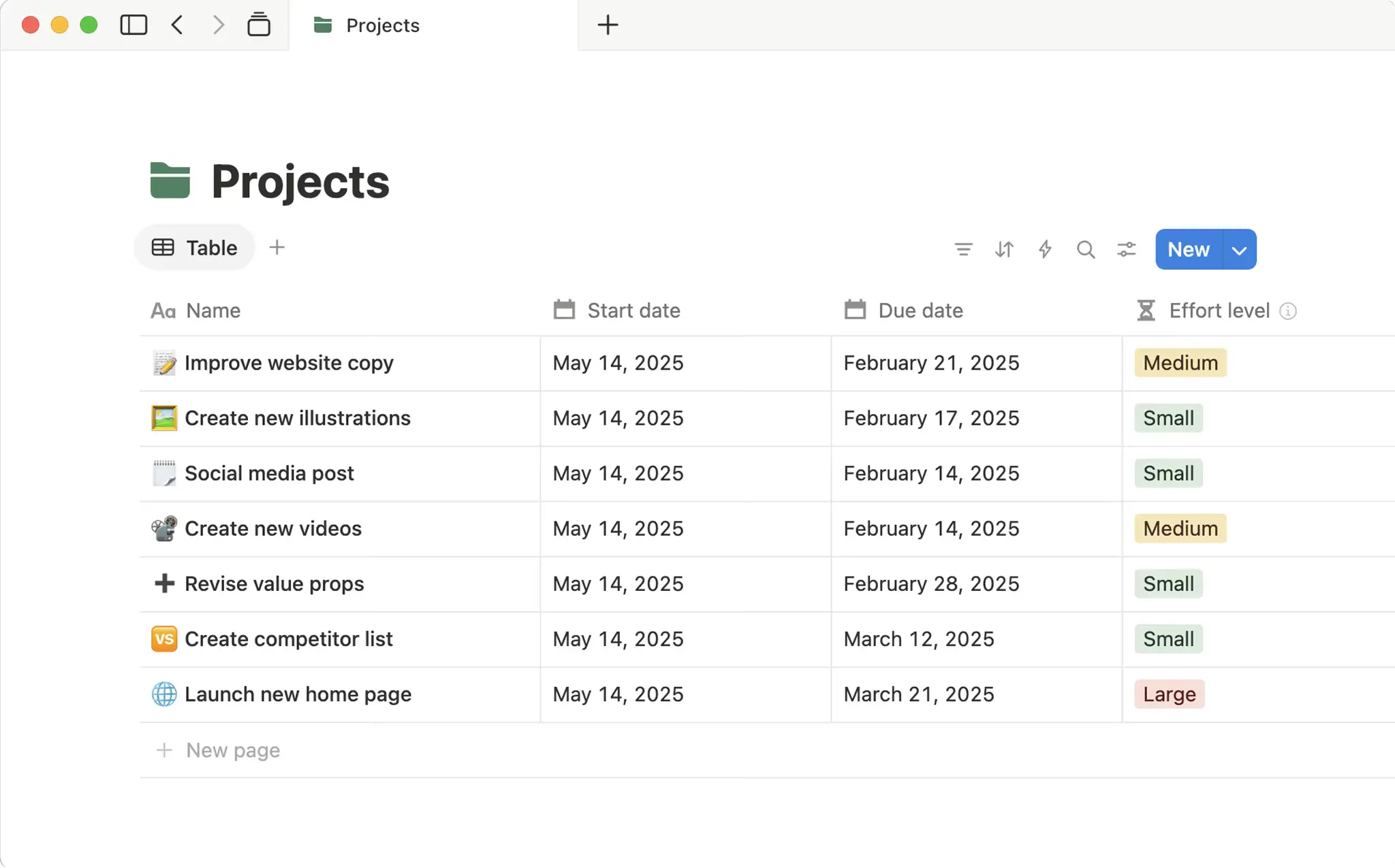
Bottom line: Notion blends docs, wikis, and lightweight databases into one workspace, trading Airtable's relational depth for flexible, content-first organization.
Where Notion beats Airtable:
- Combines docs, wikis, and databases in a central workspace
- Each database entry can expand into its own page with nested content
- Simpler setup for content planning, lightweight CRMs, and knowledge hubs
Where Airtable is better:
- True relational logic and linked records across multiple tables
- More advanced field types and automation
- Better performance with large datasets
Who Notion is not for: Teams that need advanced relational logic or automation across large datasets.
Migrating from Airtable:
- Migration method: CSV import; no native one-click Airtable connector
- What transfers: Tables (as databases) and field values
- What may require rebuilding: Linked-record relationships, formulas, and views
Pricing: Free plan (up to 10 users); paid plans start at $10/user/month.
Verdict: Choose Notion if you want a flexible, doc-first workspace and don't need Airtable's relational database depth.
9. Coda — for interactive docs and workflows
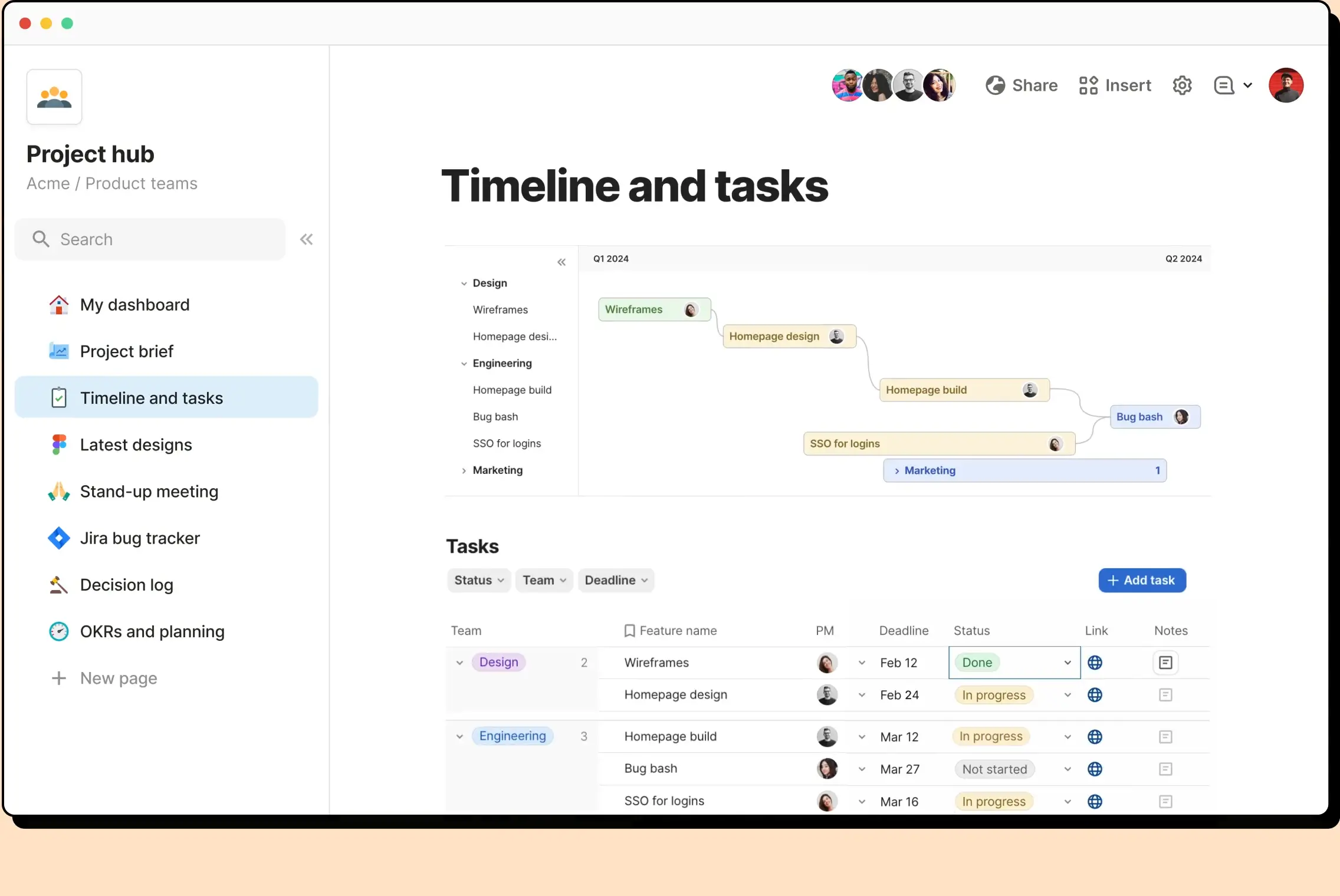
Bottom line: Coda merges docs, spreadsheets, and databases into a single canvas, letting you build interactive "doc-apps" with buttons and formulas rather than a standalone database.
Where Coda beats Airtable:
- Docs, tables, and interactive elements (buttons, formulas) live on one canvas
- Packs extend functionality with integrations like Slack and GitHub
- Better suited to interactive reports and knowledge management than Airtable
Where Airtable is better:
- Relational database functionality built for large, structured datasets
- More consistent performance as tables grow
- Larger ecosystem of templates for data management use cases
Who Coda is not for: Teams with heavy relational data needs or large tables, where performance can lag.
Migrating from Airtable:
- Migration method: CSV import; no native one-click Airtable connector
- What transfers: Tables and field values
- What may require rebuilding: Linked-record relationships, formulas, and views
Pricing: Free plan (unlimited pages for unshared docs); paid plans start at $10/user/month.
Verdict: Choose Coda if you want interactive docs and workflows more than a dedicated relational database.
Side-by-side feature comparison
| Alternative | Relational database | Free plan | Open source | PM views (Gantt/kanban) | App/portal builder | Starting price |
|---|---|---|---|---|---|---|
| Softr | Yes | Yes | No | Yes (via blocks) | Yes | $19/month |
| Stackby | Yes | Yes | No | Kanban only | Limited | $4.20/user/month |
| SmartSuite | Yes | No (trial) | No | Yes | No | $15/user/month |
| Baserow | Yes | Yes | Yes | No | No | $10/user/month |
| NocoDB | Yes (SQL-backed) | Yes | Yes | No | No | $12/user/month |
| Google Sheets | No | Yes | No | No | No | Free |
| Monday.com | No | Yes | No | Yes | No | $9/seat/month |
| Notion | Limited | Yes | No | No | No | $10/user/month |
| Coda | Limited | Yes | No | No | No | $10/user/month |
What is the best Airtable alternative for you?
The best Airtable alternative depends on what you want to do with your data.
If you want something that feels familiar, Stackby is the closest Airtable-like option, while SmartSuite adds more structure for operational workflows and project management. For simpler needs, Google Sheets works well for basic data tracking, while Notion and Coda make more sense when your data needs to live alongside docs, knowledge, and collaborative work.
If control over your data matters more, Baserow and NocoDB are both open-source and can be self-hosted. Baserow is better suited to building databases from scratch, while NocoDB is designed to put a no-code interface over an existing SQL database. If you're primarily managing projects rather than relational data, Monday.com is the more purpose-built option. Those distinctions line up with how the current article evaluates each platform.
But if your goal is to turn data into software that employees, clients, or partners can actually use, Softr is the strongest fit. You can build relational databases alongside mobile-friendly portals, dashboards, CRMs, and internal tools, or keep Airtable and other existing systems as your data source. Authentication and granular permissions control what different users can see and do, without requiring a paid database seat for every external app user.
How to migrate from Airtable
Whichever tool you choose, migrating from Airtable to another platform follows the same basic pattern:
- Start with an export: Airtable's own CSV export (per table) or its API is the starting point for every tool on this list; Softr is the only one here with a dedicated one-click Airtable importer.
- Expect to rebuild linked records: Most imports bring over field values but not the relationships between tables, so budget time to manually recreate links unless you're using a tool with a native importer.
- Automations, Interfaces, and formulas rarely transfer: Anything built directly in Airtable's automations or Interface Designer typically needs to be rebuilt from scratch in the new tool.
- Keep a backup: Duplicate your Airtable base or export every table before you start, so you have a fallback if something breaks mid-migration.

Already using Airtable but need more flexibility or better pricing? Import your bases to Softr Databases in just a few clicks. There's no need to rebuild your schema from scratch. Or try Softr's AI Co-Builder and generate fully functional business software with a native relational database, built-in workflow automation, and infrastructure that's secure by default.
Frequently asked questions
What is the best overall Airtable alternative?
What are some free alternatives to Airtable?
What is the best open-source Airtable alternative?
Is there anything better than Airtable?
Can I migrate an Airtable base without losing linked records?